Student success operating layer

ORBIT

Personalized multi-agent AI for student life, academic planning, campus logistics, and wellbeing.

ORBIT helps college students coordinate schoolwork, stress, campus resources, food, routes, courses, calendars, and action cards from one explainable AI workspace. It is built around labels, specialist agents, tool routing, demo-safe data, and inspectable traces rather than a generic prompt-response chat flow.

Mode
Local-first demo with opt-in live connectors
Persona
Maya Chen, seeded UMD student profile
System
Labels -> agents -> tools -> action surfaces
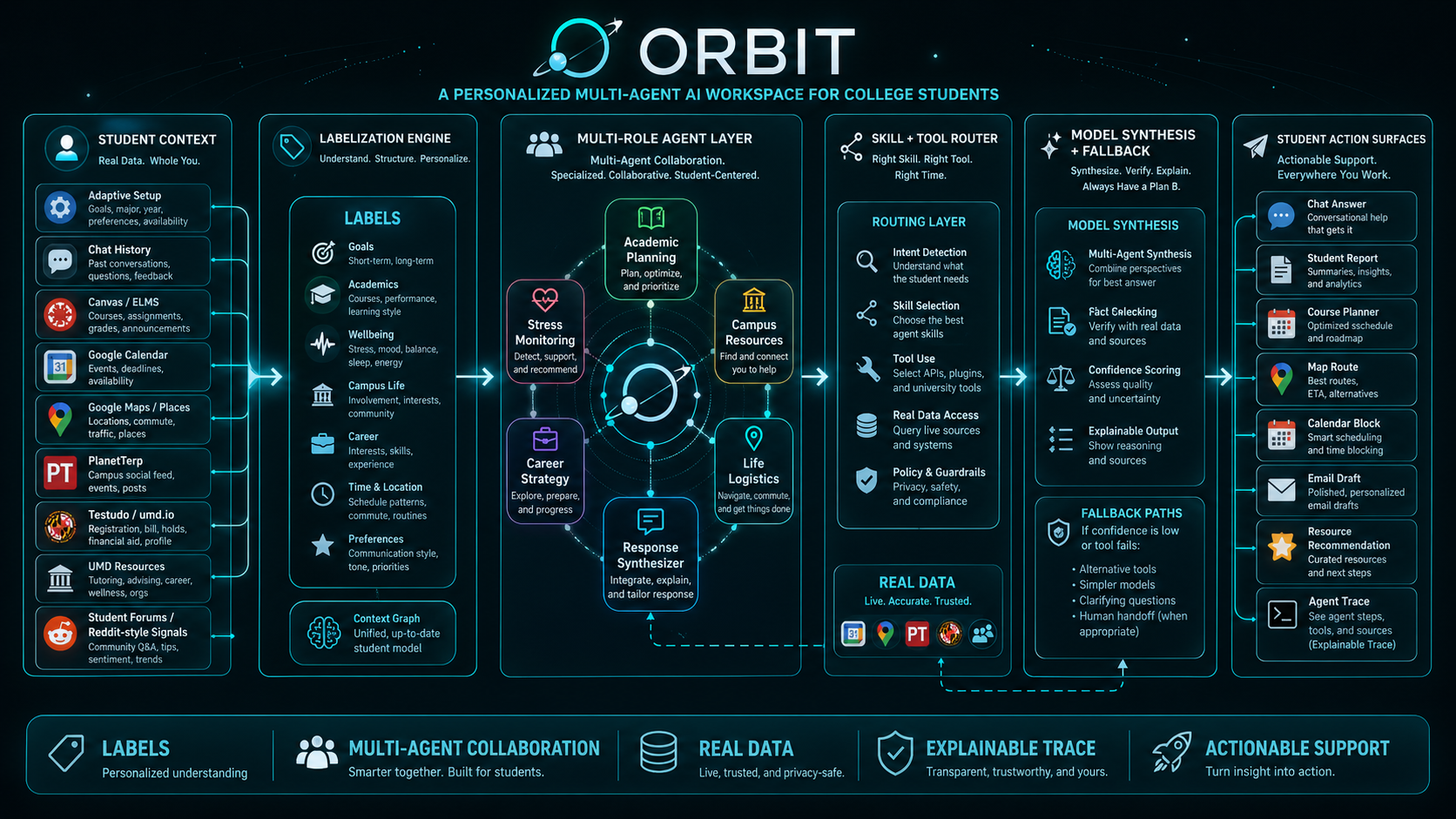
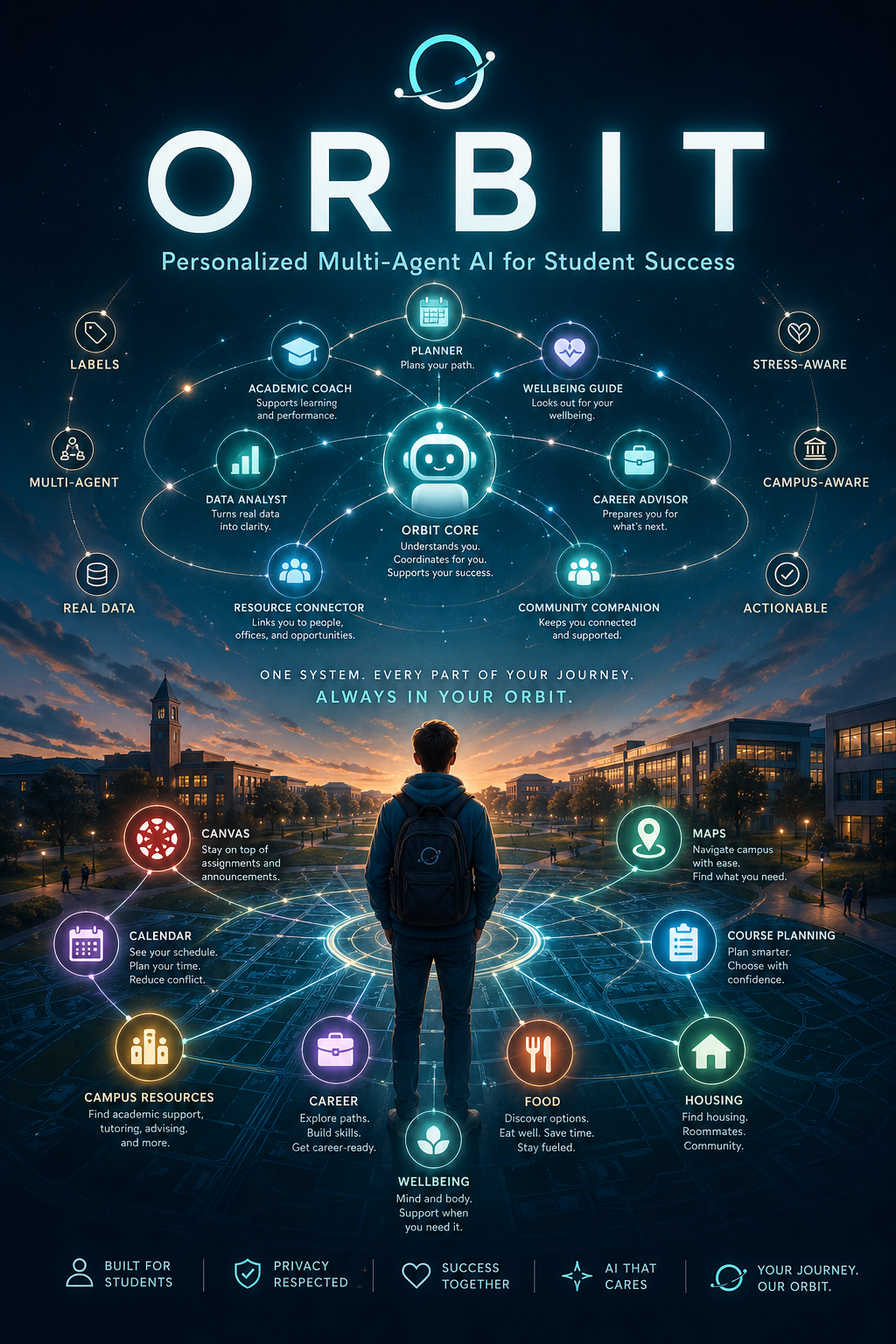
ORBIT product poster showing the student AI workspace concept

Project Build Story

项目构建故事

Why We Built ORBIT, How We Built It, and What We Think It Proves

我们为什么构建 ORBIT、如何实现它,以及它证明了什么

When we started thinking about ORBIT, we were not only thinking about building another AI chatbot. As CS and NLP students, we have used a lot of AI tools, and we think many of them are impressive in a very technical sense. They can summarize, write, code, and answer questions quickly. However, what made us pause was that most of these tools still begin from a blank prompt. They do not really understand the messy environment around a student.

They do not know that one student might be worrying about a CMSC project, a statistics quiz, a work shift, food cost, a walk across campus, and stress at the same time. That was the gap we wanted ORBIT to explore. We wanted to build something that treats student life as a connected system, not as isolated questions.

We think the core idea behind ORBIT is labelization. Instead of forcing a student to explain the same context again and again, ORBIT turns important background information into durable labels. These labels can be simple, like vegan, commuter, working student, or course selection, but they are not just decorations on a profile page.

当我们开始构思 ORBIT 的时候,我们并不是只想再做一个 AI 聊天机器人。作为 CS 和 NLP 学生,我们使用过很多 AI 工具, 也承认它们在技术层面非常强大:它们可以快速总结、写作、写代码、回答问题。可是让我们停下来思考的是, 大多数工具仍然从一个空白 prompt 开始。它们并不真正理解学生周围那个混乱、真实、不断变化的环境。

它们不知道一个学生可能同时在担心 CMSC 项目、统计学测验、打工班次、餐费、跨校园步行路线和压力状态。 这正是我们希望 ORBIT 探索的空白。我们想构建一个把学生生活看作连接系统的产品,而不是把每个问题都拆成孤立提问。

我们认为 ORBIT 的核心想法是标签化。与其要求学生一次又一次解释相同背景,ORBIT 会把重要上下文转化成可持续使用的标签。 这些标签可以很简单,比如 vegan、commuter、working student 或 course selection,但它们并不只是资料页上的装饰。
Continue Reading 继续阅读

Product Overview

A personalized multi-agent AI workspace for student life

ORBIT is built on a simple product belief: students do not need one more generic chatbot. They need an assistant that knows the context they choose to share, understands campus-specific systems, coordinates specialist roles, and returns plans they can actually use.

Student problem

Disconnected tools create coordination overload.

Assignments live in Canvas/ELMS, classes and work shifts live in Google Calendar, routes depend on Maps, course truth is split across PlanetTerp, Testudo, umd.io, and campus support offices. The information exists, but students have to integrate it while already under stress.

Product vision

ORBIT starts from a student model, not a blank prompt.

The system uses durable labels, prior history, report state, campus context, demo/live data, role agents, runtime skills, model fallback, connected actions, and traces to transform student context into next steps.

Why it is different

It is an advisor system, not only an answer generator.

ORBIT can move from advice to action with walking routes, calendar blocks, email-like actions, report insights, course plans, UMD resource matches, and an audit path that explains which agents and tools were used.

General chatbots

  • Begin mainly from the current prompt.
  • Often provide broad advice.
  • Usually use one model role for everything.
  • Do not know campus data unless the student pastes it in.

ORBIT

  • Begins from labels, history, monitor state, and campus context.
  • Creates concrete next actions based on deadlines, stress, route, food, and schedule.
  • Coordinates academic, stress, campus, career, logistics, and synthesis agents.
  • Can fetch or mimic Canvas, Calendar, Maps, Places, PlanetTerp, Testudo/umd.io, and UMD resources.

Problem and Importance

Students are overloaded by coordination work, not just by missing information.

ORBIT targets the everyday friction that quietly undermines student success: deadlines, hidden academic expectations, confusing campus systems, food and transport decisions, work shifts, course planning, stress, accessibility needs, and disconnected support offices.

Fragmented campus systems

Canvas/ELMS, Google Calendar, Google Maps, Google Places, PlanetTerp, Testudo/umd.io, UMD offices, and optional community signals all answer different fragments of the same student question.

Cognitive load under stress

A student might need to decide where to eat, how to walk there, what academic task to protect, whether the plan conflicts with work, and whether the plan should be smaller because stress is already high.

Underserved students need context-aware help

First-generation, international, financially stressed, accessibility-related, commuting, working, ADHD, anxiety, burnout, and language-support contexts can change what advice is respectful and realistic.

Why it matters

ORBIT reduces the student coordination burden.

A good student-success AI should not force students to become systems integrators. It should preserve useful context, route to the right campus-aware agent, keep recommendations safe and non-diagnostic, and translate complexity into a humane, doable next move.

Demo Persona

Maya Chen makes the product concrete.

ORBIT includes a seeded UMD student profile so the full experience can be explored without connecting a real student account. Maya's profile shows what the system feels like after it has enough context to be useful.

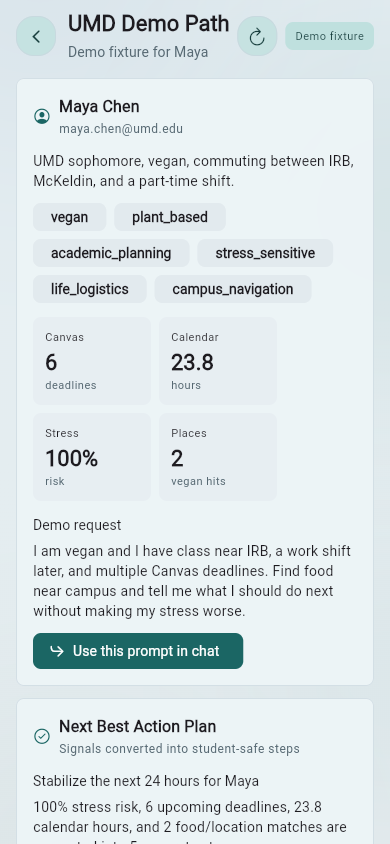
Maya Chen

maya.chen@umd.edu

UMD student, vegan/plant-based, near IRB and McKeldin, under CMSC216 project pressure, preparing for STAT400, working later, and sensitive to stress overload.

vegan campus_navigation stress_sensitive canvas google_calendar work_shift_constraints course_selection

Why the seeded profile matters

The demo includes month-long monitor history, prior chats, generated skills, audit traces, resource cards, course planning state, and connected action examples. It lets the investor demo start inside a personalized workspace rather than a blank app that requires real credentials.

Before a presentation, the app can reset Maya's demo state so labels, chat history, report history, saved skill, feedback, and audit trace return to a reliable story path.

How We Did It

Labels become routing signals for agents, tools, recommendations, and safety-aware support.

We built ORBIT around adaptive setup, durable profile labels, specialist role agents, runtime skills, connected action cards, demo-safe behavior, and an opt-in live data path.

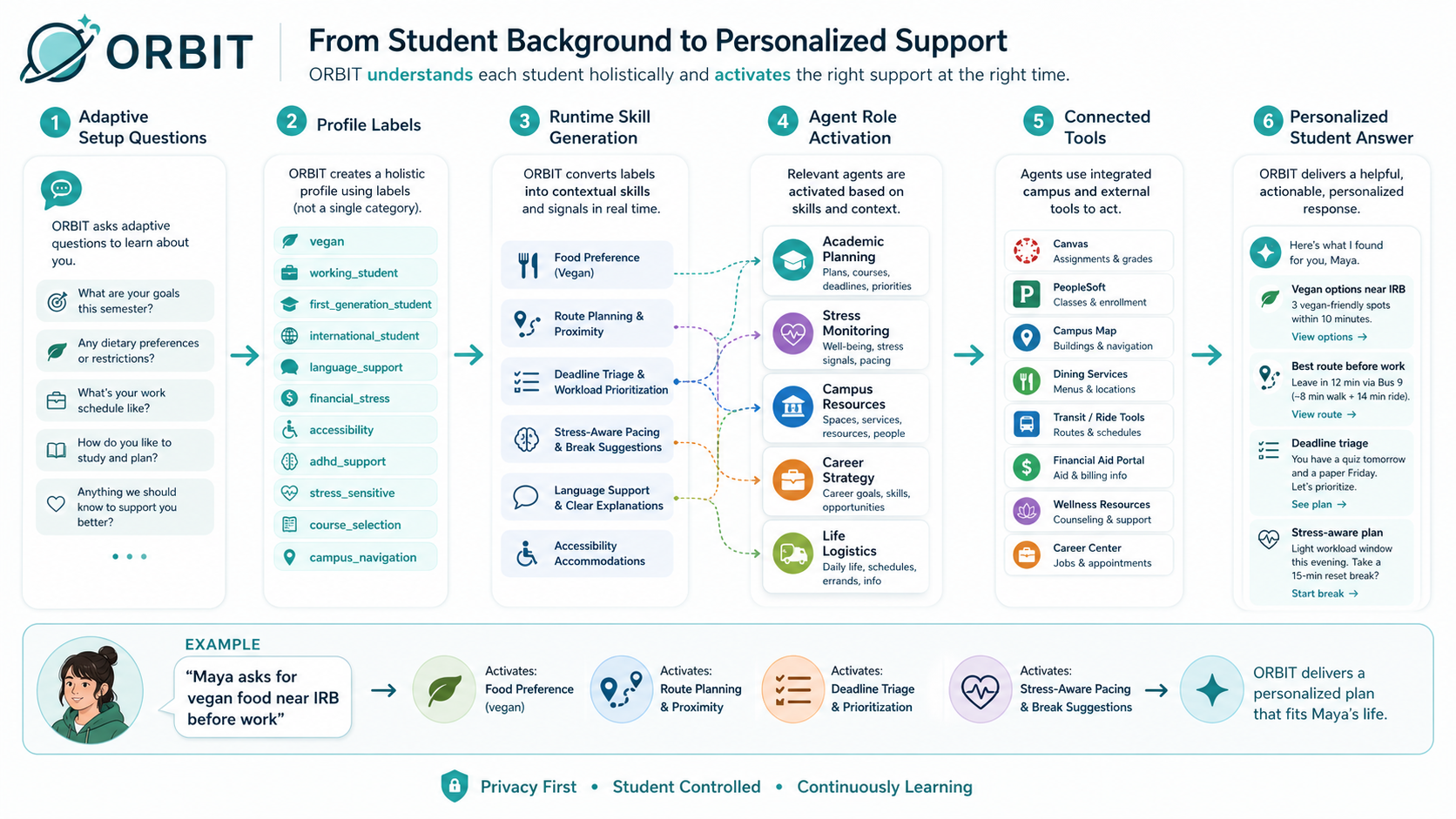
Label-to-agent workflow diagram showing setup labels becoming runtime skills, agents, tools, and personalized answers
Label-to-agent workflow diagram.
01

Adaptive setup creates durable labels.

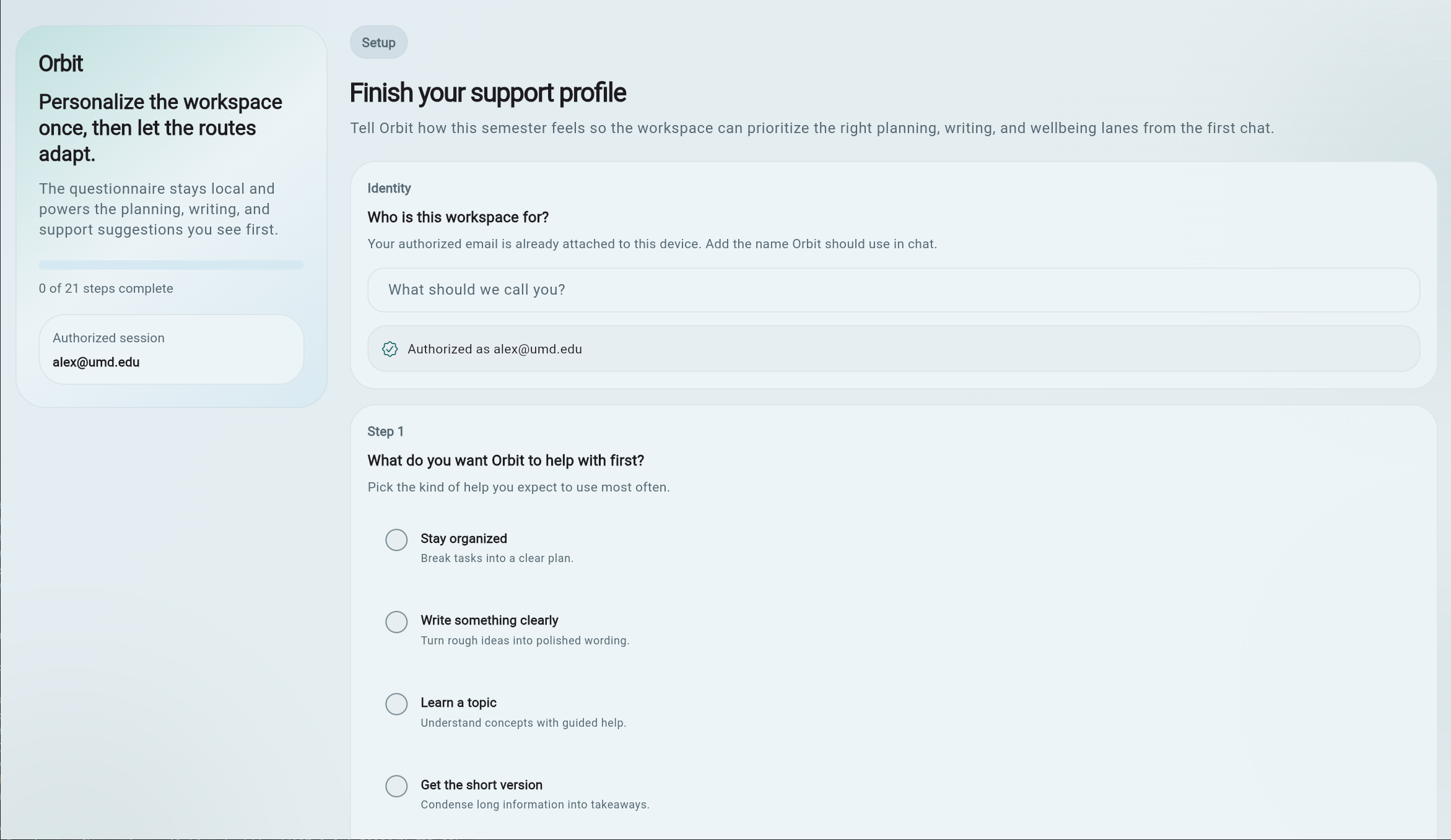
Setup asks focused background questions about food, life stage, academic path, work, commuting, first-generation context, financial pressure, accessibility, mental health support, language, career needs, events, and life logistics.

02

Labels activate role agents.

The workflow controller can activate academic planning, stress monitoring, campus resources, career strategy, life logistics, and response synthesis agents depending on the current request and student state.

03

Runtime skills and tools shape the answer.

Current query, selected labels, profile labels, recent history, imported data, stress band, and tool permissions create an adaptive skill for the situation.

04

Action cards make advice operational.

ORBIT can surface Google Maps route actions, calendar blocks, email drafts, report recommendations, course plans, and resource cards while keeping demo actions safely mimicked unless real OAuth is added.

How It Works

One student request becomes an inspectable decision path.

  1. A student request enters the system.
  2. ORBIT loads profile labels, chat history, report state, demo/live data, and relevant constraints.
  3. The workflow controller decides which agents and tools should activate.
  4. Role agents analyze the request from academic, wellbeing, campus, career, and logistics perspectives.
  5. The runtime skill/tool router decides which action surfaces are appropriate.
  6. Gemini is used when configured; Gemma/Ollama can be used as fallback; deterministic logic keeps the demo reliable.
  7. The final output becomes an answer, action card, report insight, route, email draft, calendar block, course plan, or resource recommendation.
  8. Agent traces and audit logs make the path inspectable.

Product Walkthrough

A complete student support flow, from account setup to explainable agent intelligence.

Every screenshot from the README is included below and grouped around the product moments they demonstrate: account flow, adaptive setup, chat, mobile app, demos, reports, history, UMD scenario, course planning, and the intelligence dashboard.

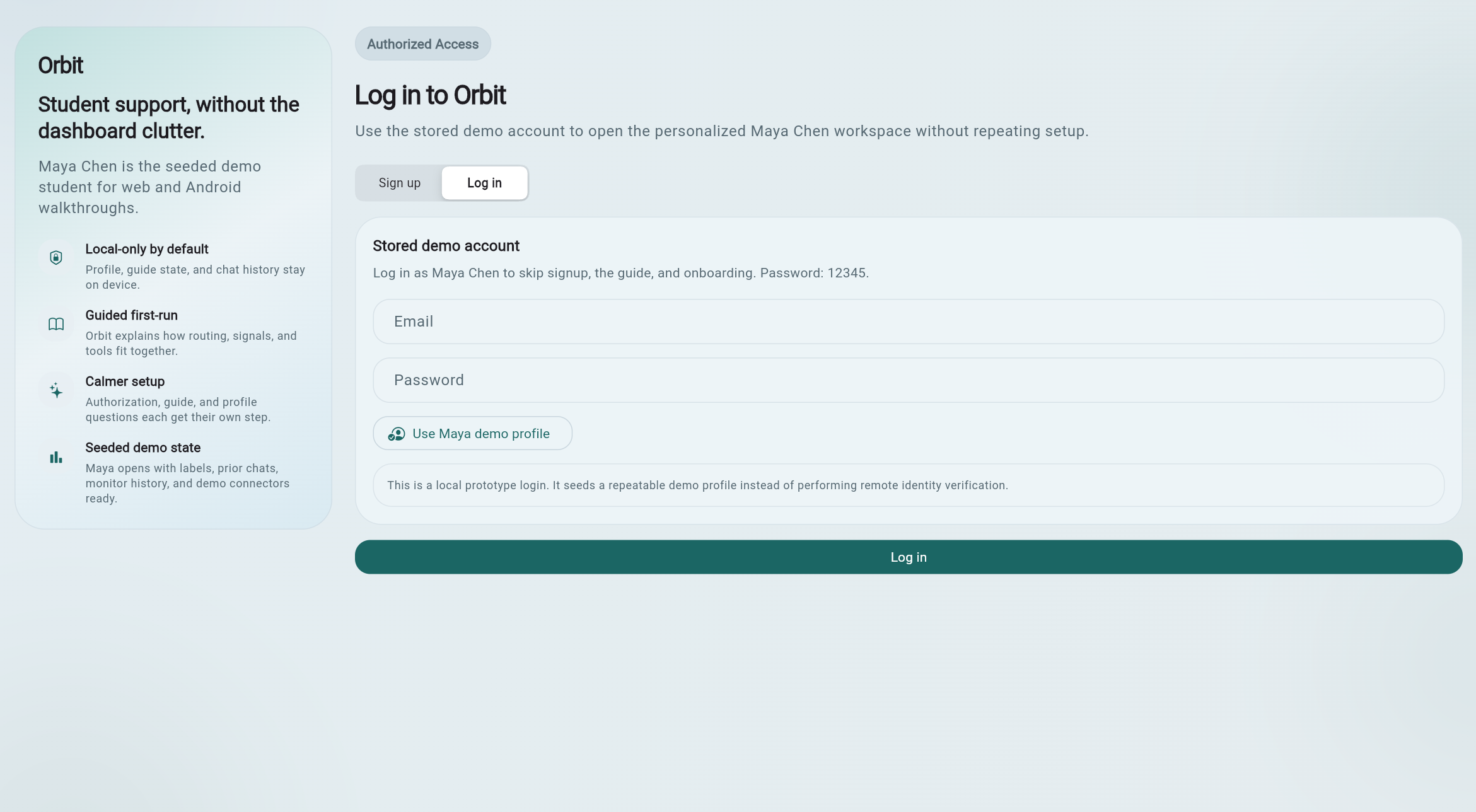
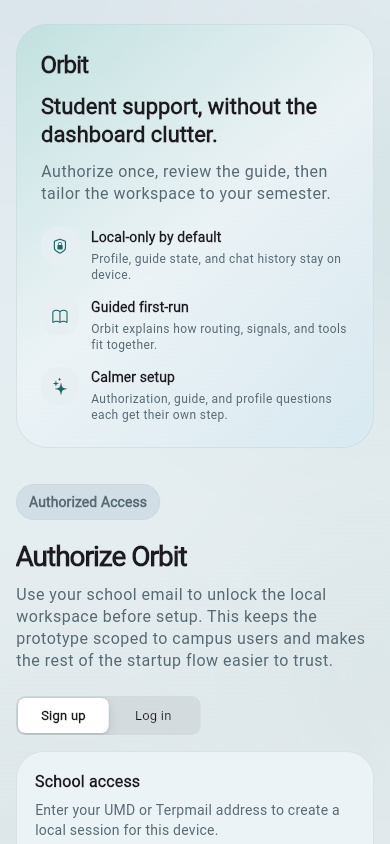
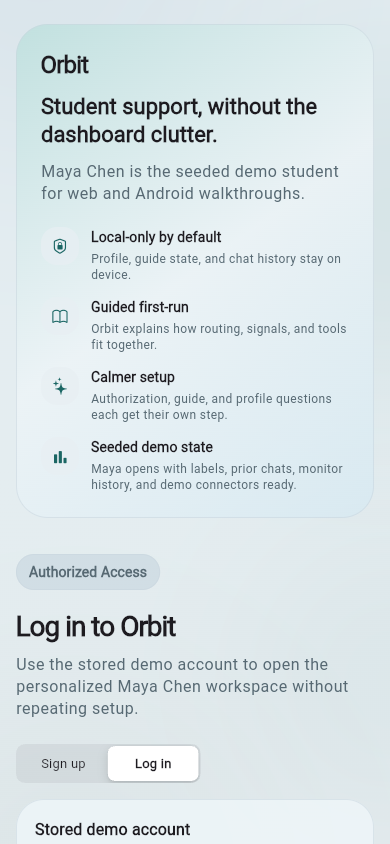
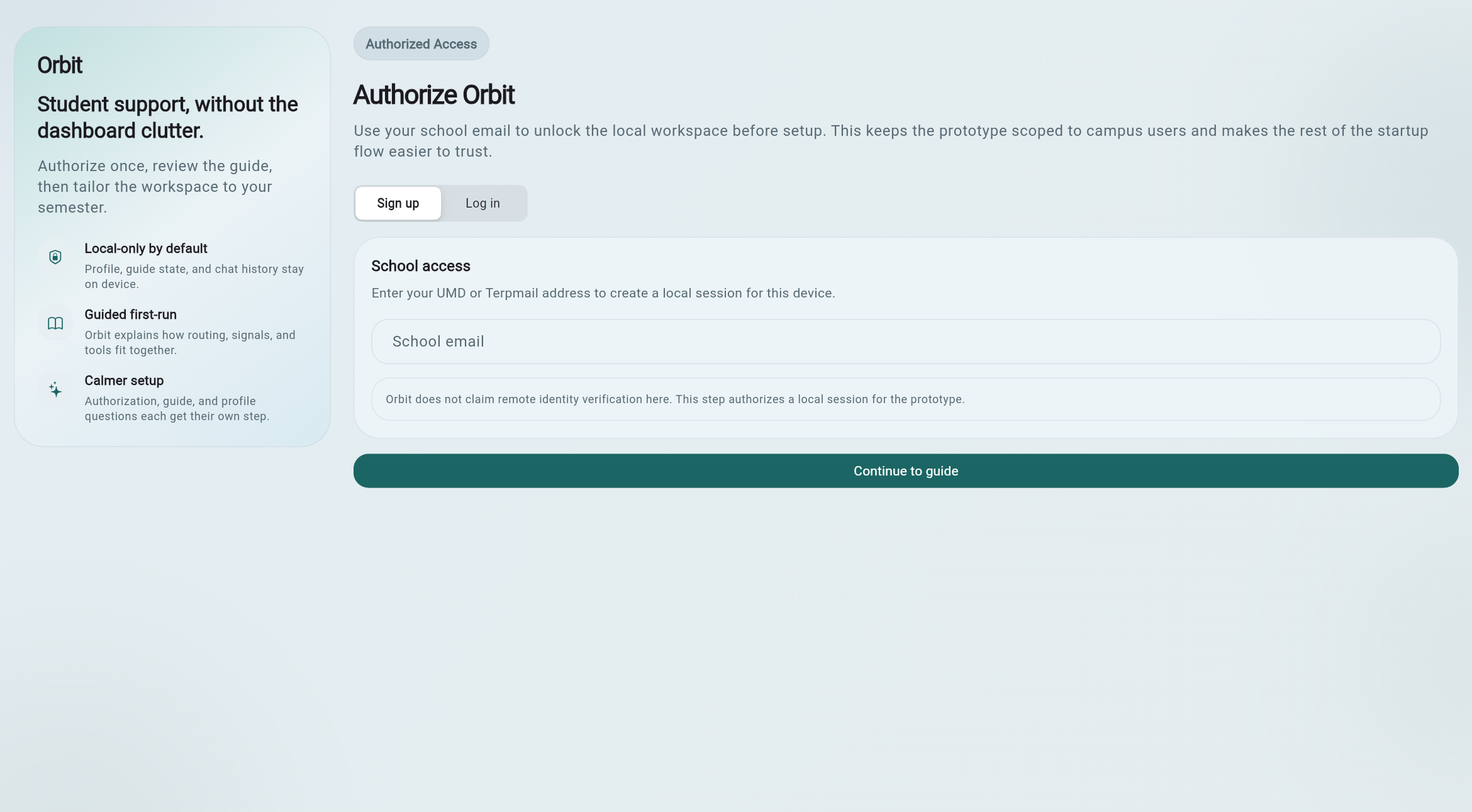
01 / Signup and Login

Start with a normal student account flow.

New users can sign up and answer setup questions, while returning users can log in. Maya's seeded profile opens with labels, history, monitor data, and demo connectors already prepared so the system does not reset to zero every session.

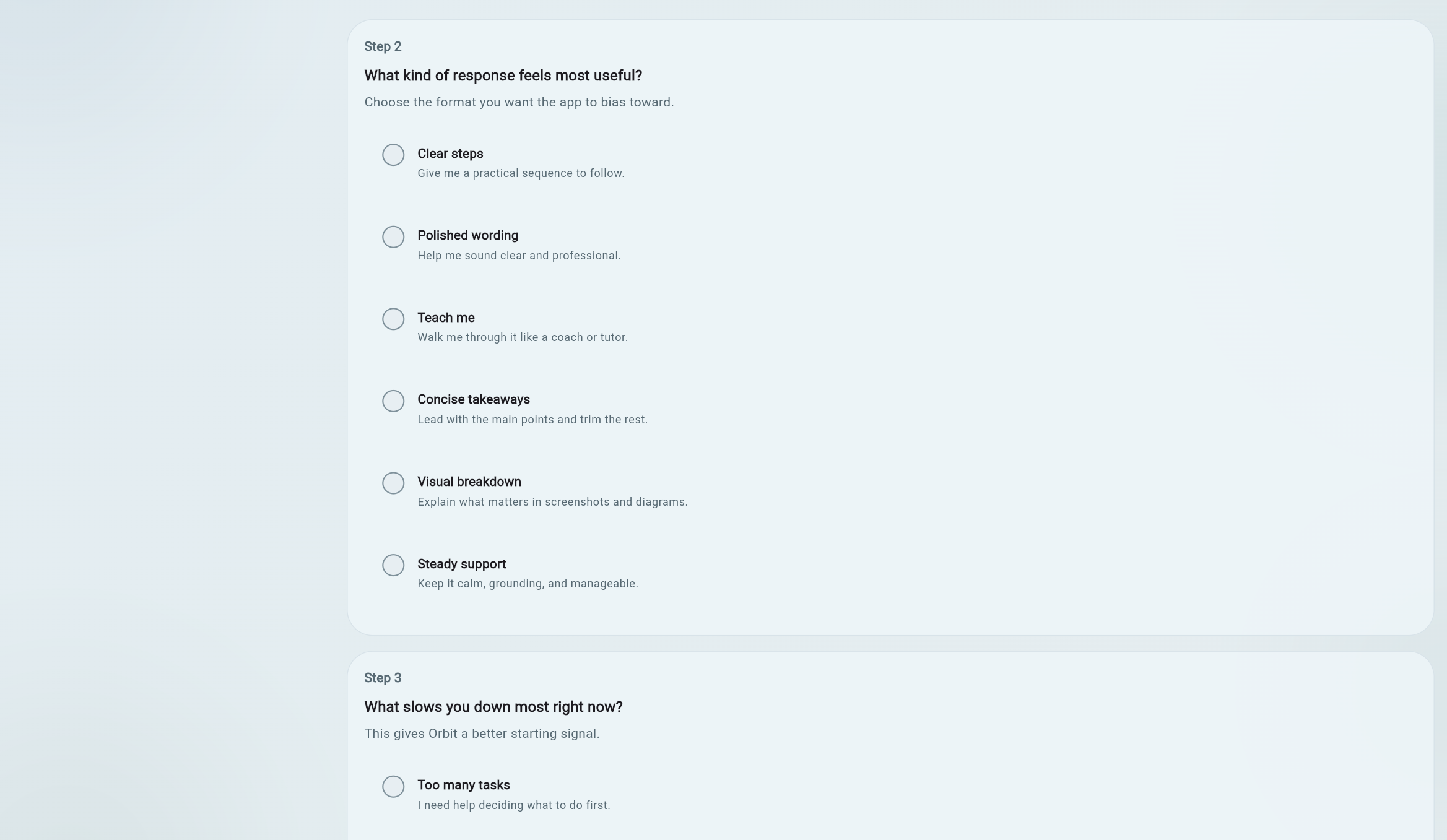
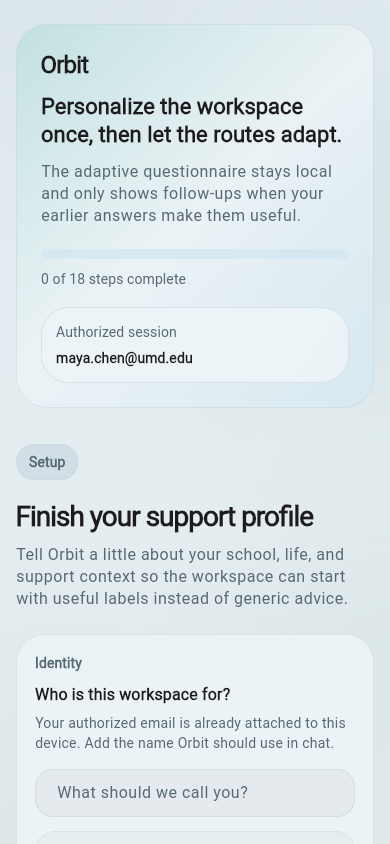
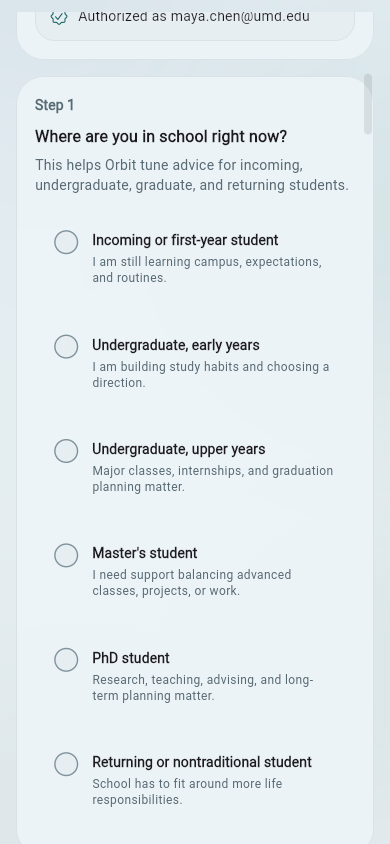
02 / Adaptive Setup

Setup questions create the first label profile.

ORBIT asks focused questions instead of asking every possible question at once. Answers can create labels for food preferences, academic path, work, commuting, first-generation context, financial stress, accessibility, ADHD support, depression or anxiety support, international context, language support, course support, internships, events, and life logistics.

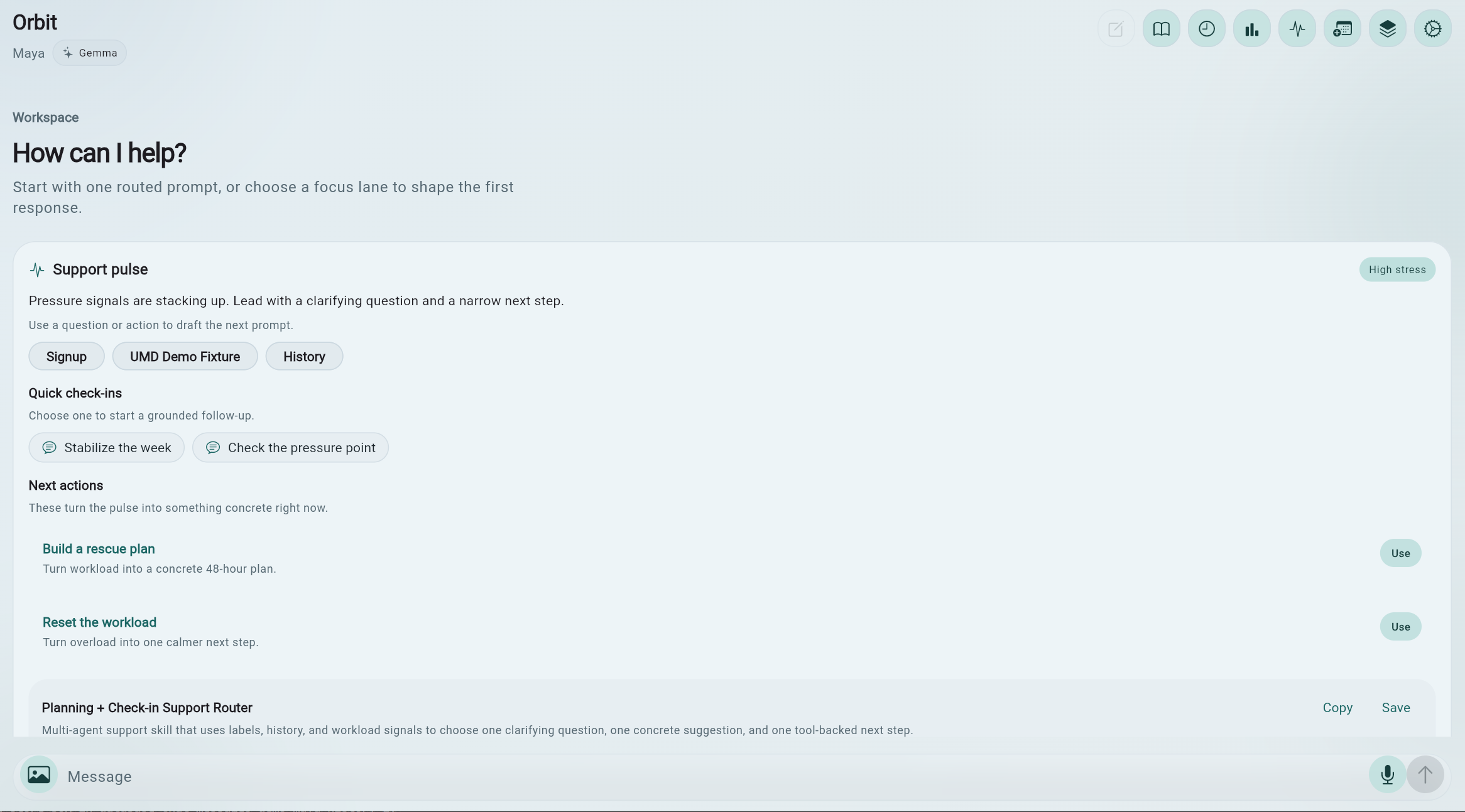
03 / Chat Workspace

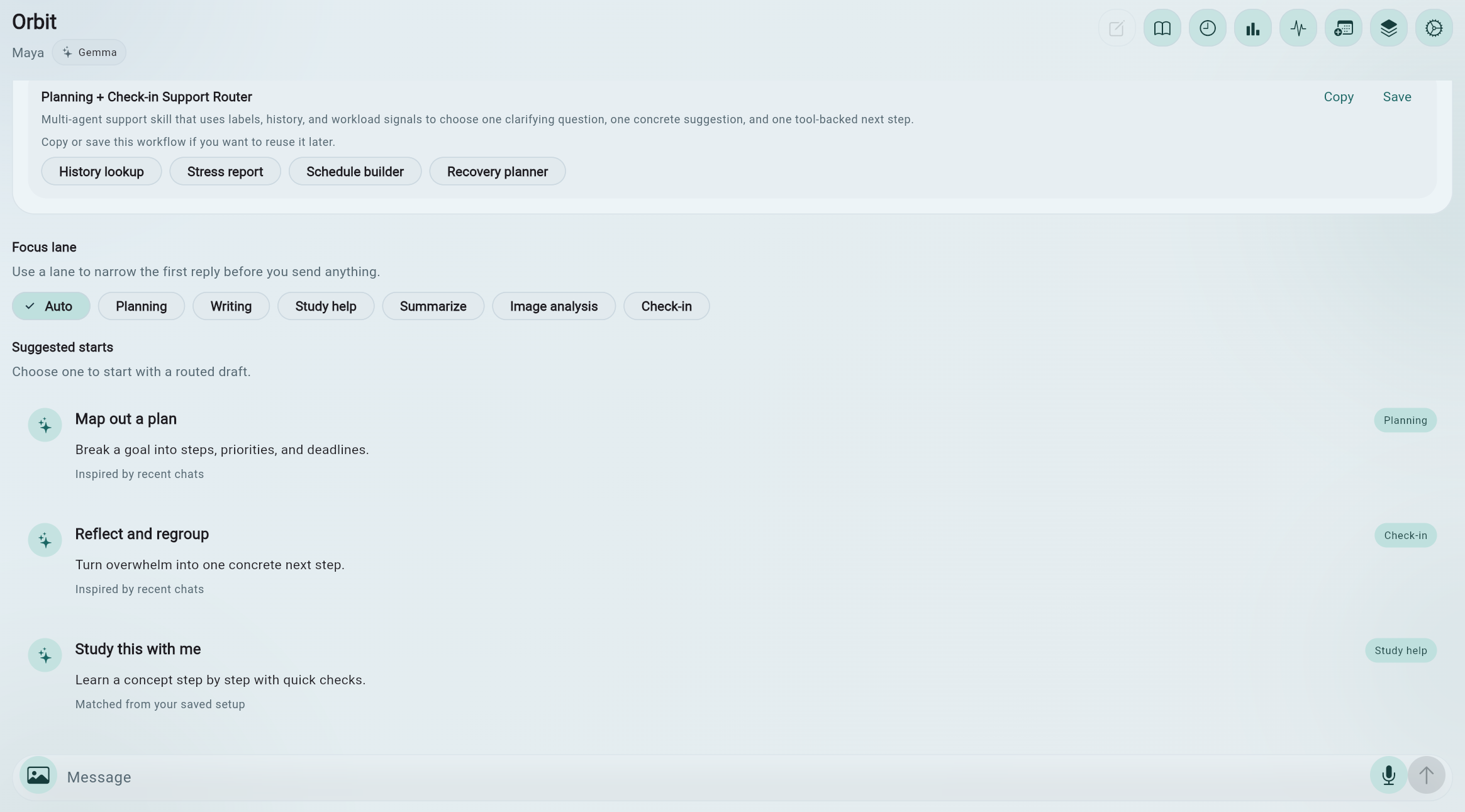
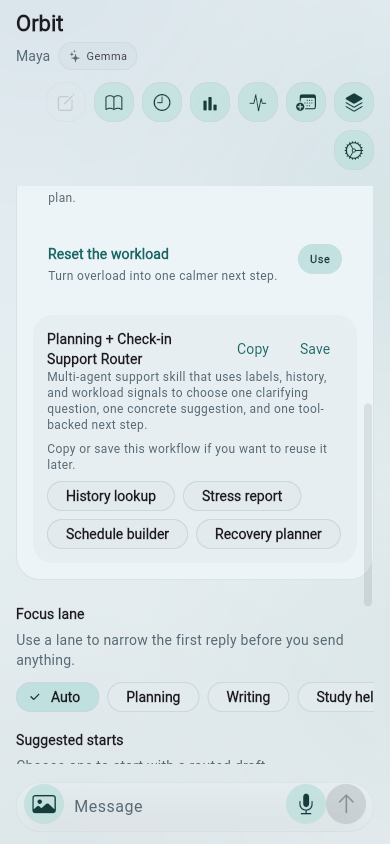
The familiar interface hides a structured orchestration layer.

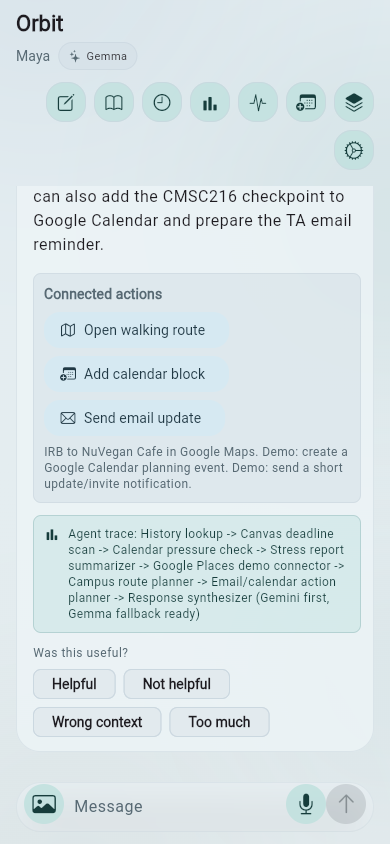
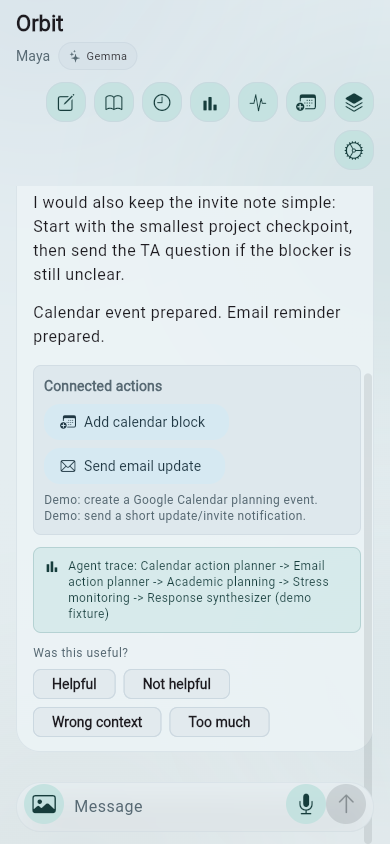
The chat screen shows the current student and active model path. Header controls open guide, history, report, demo path, course planner, intelligence dashboard, and settings. Underneath, each message can pass through labels, multi-agent routing, context aggregation, connected action detection, and model fallback.

04 / Mobile App Experience

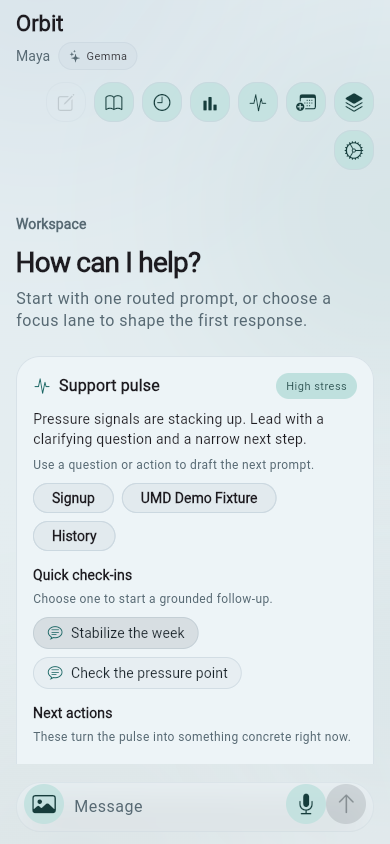
ORBIT keeps student support available between classes, not only at a desk.

These screenshots show the iPhone build, and the same Flutter mobile experience is designed to run on Android as well. On a phone, ORBIT preserves the same student profile labels, chat workspace, connected actions, report intelligence, course planning, and agent transparency for the moments when students need a quick next step away from their laptop.

Pocket workflow

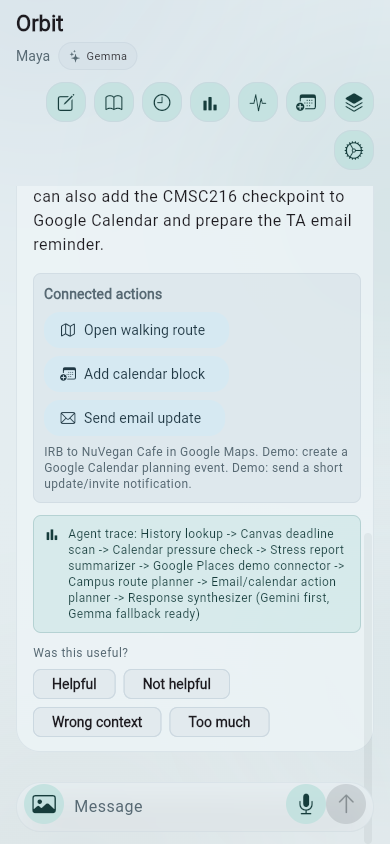
Setup, chat, actions, care, planning, and explainability fit into one mobile student path.

A food recommendation can become a route, a stressful deadline can become a smaller plan, a report can become a recovery cue, and an agent trace can still explain why ORBIT suggested the next move.

ORBIT iPhone food recommendation
Food plan
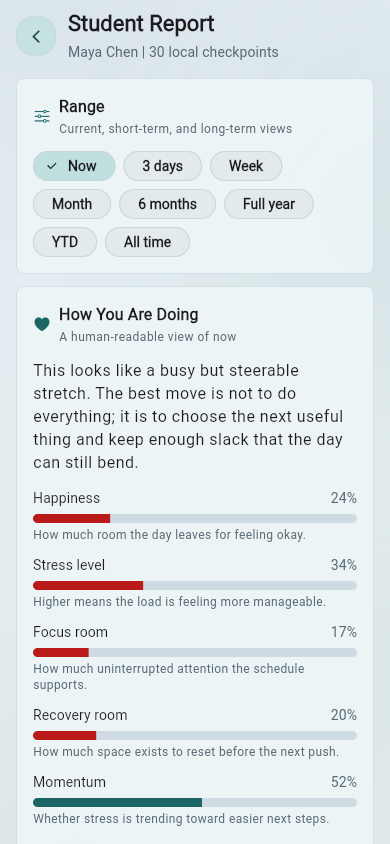
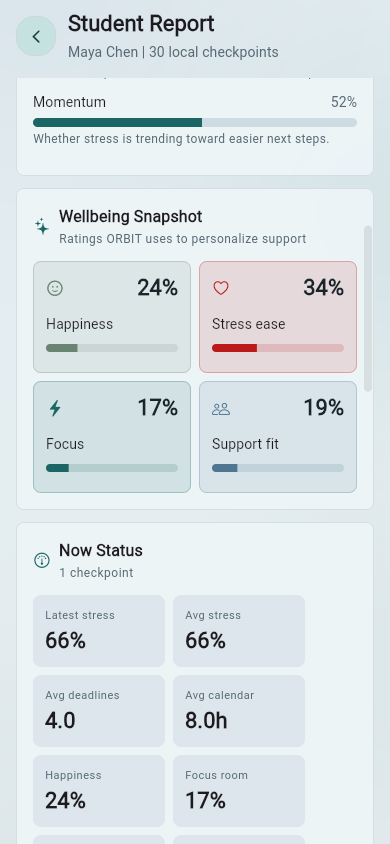
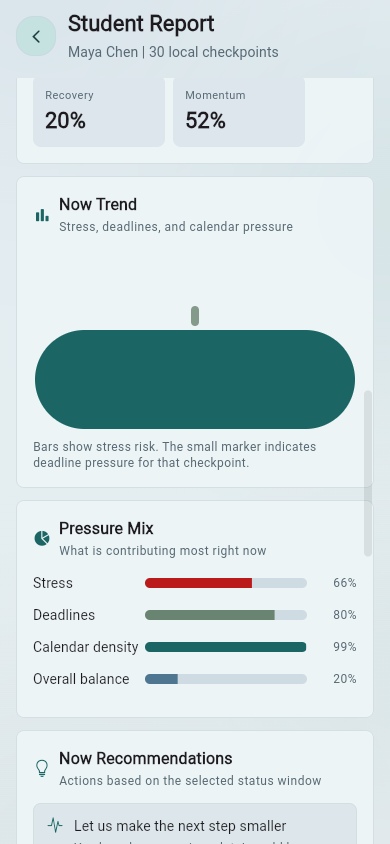
ORBIT iPhone student report
Student report

05 / Live Demo Videos

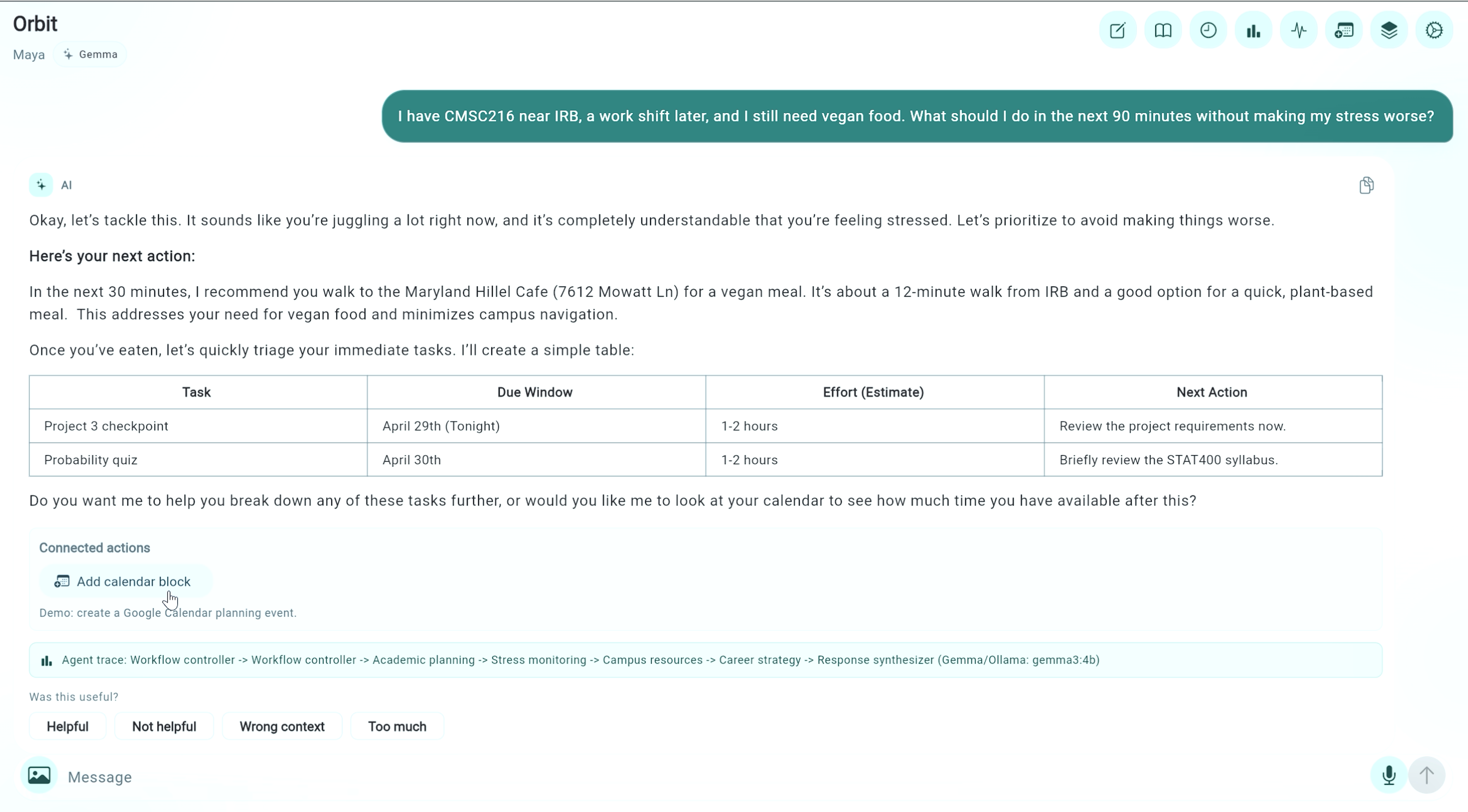
Two YouTube demos show ORBIT coordinating real student tasks.

The demos are embedded responsively when the page is hosted. When the site is opened directly as a local file, the large video frame becomes a polished YouTube launch panel so it avoids local embed configuration errors.

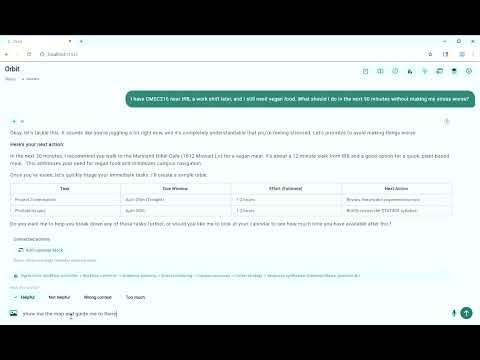
Orbit - Ask for Food Place YouTube thumbnail

Orbit - Ask for Food Place

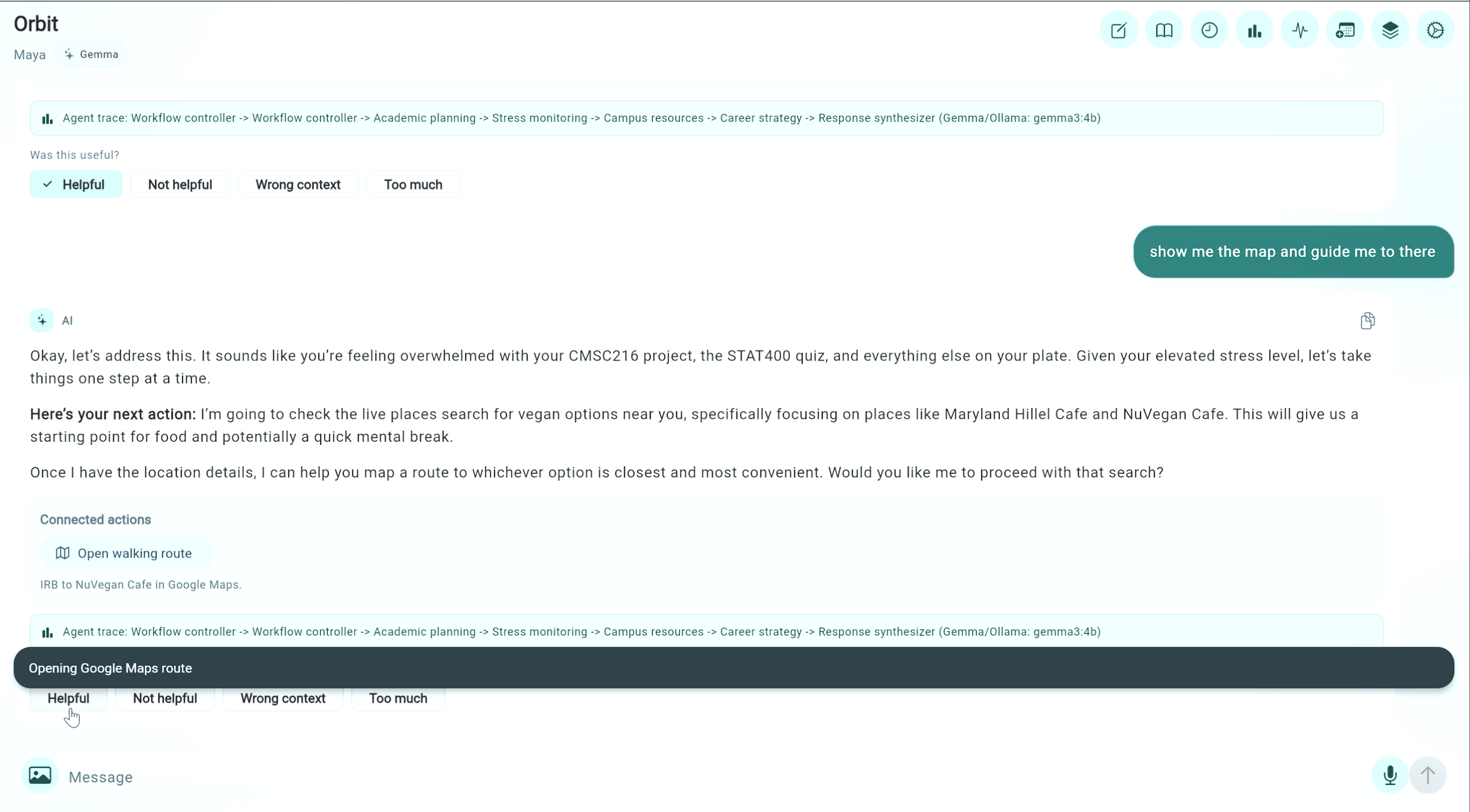
Maya asks what to do in the next 90 minutes with CMSC216 near IRB, a later work shift, and vegan food needs. ORBIT recognizes stress, uses her plant-based preference, considers location, suggests campus-relevant food, connects the decision to academic triage, and offers map or calendar actions.

Open fallback video link
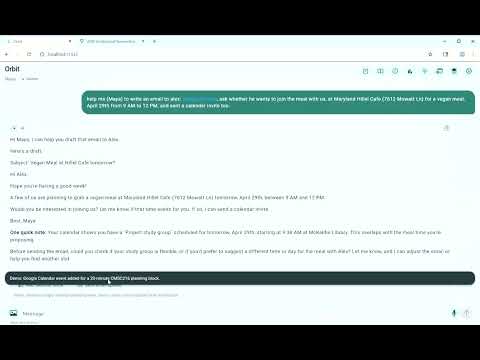
Orbit - Sent Email YouTube thumbnail

Orbit - Sent Email

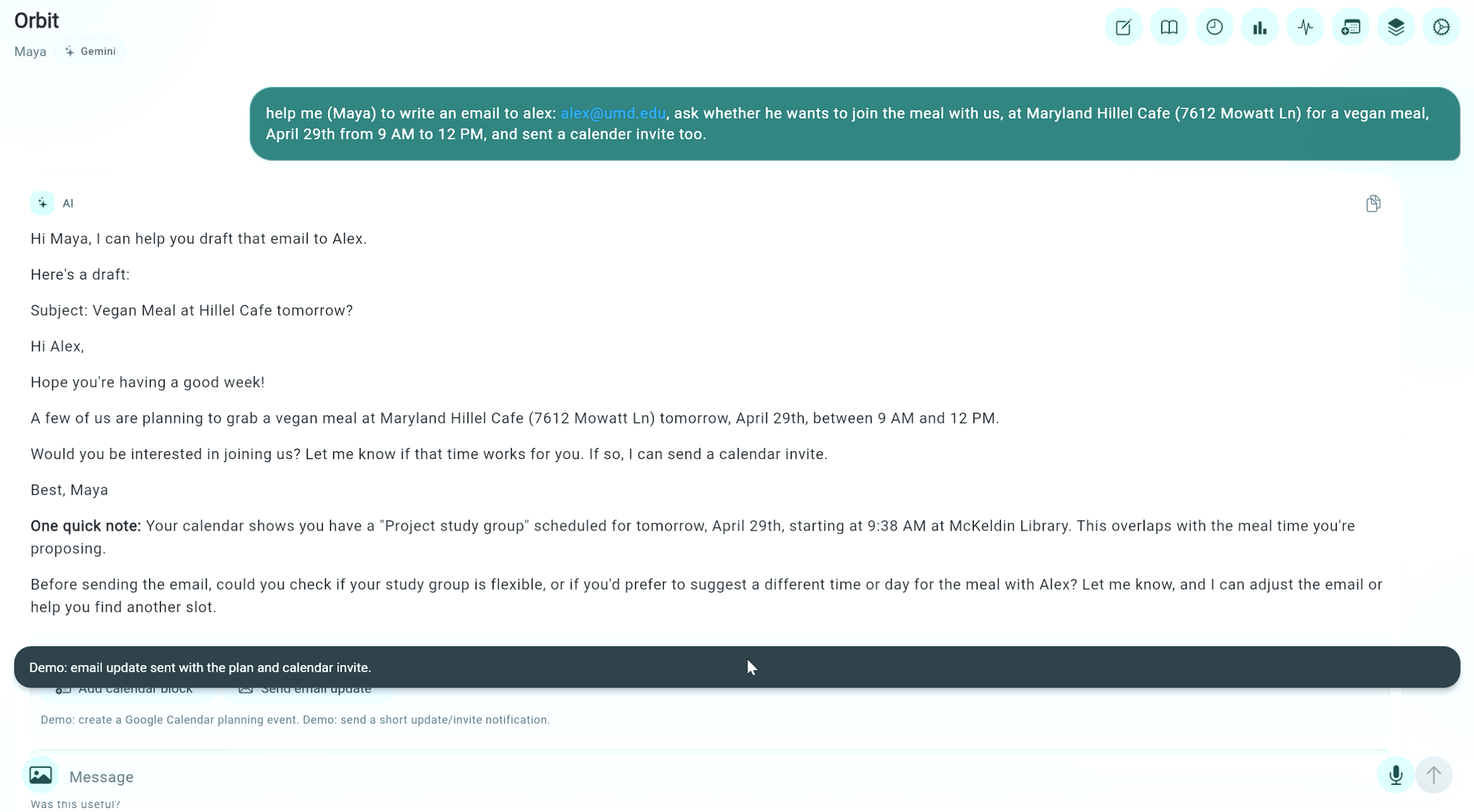
Maya asks ORBIT to write an email to Alex and send a calendar invite for a vegan meal at Maryland Hillel Cafe. ORBIT drafts the email, notices a calendar conflict, asks for confirmation, and uses demo notifications to mimic successful email/calendar actions safely.

Open fallback video link

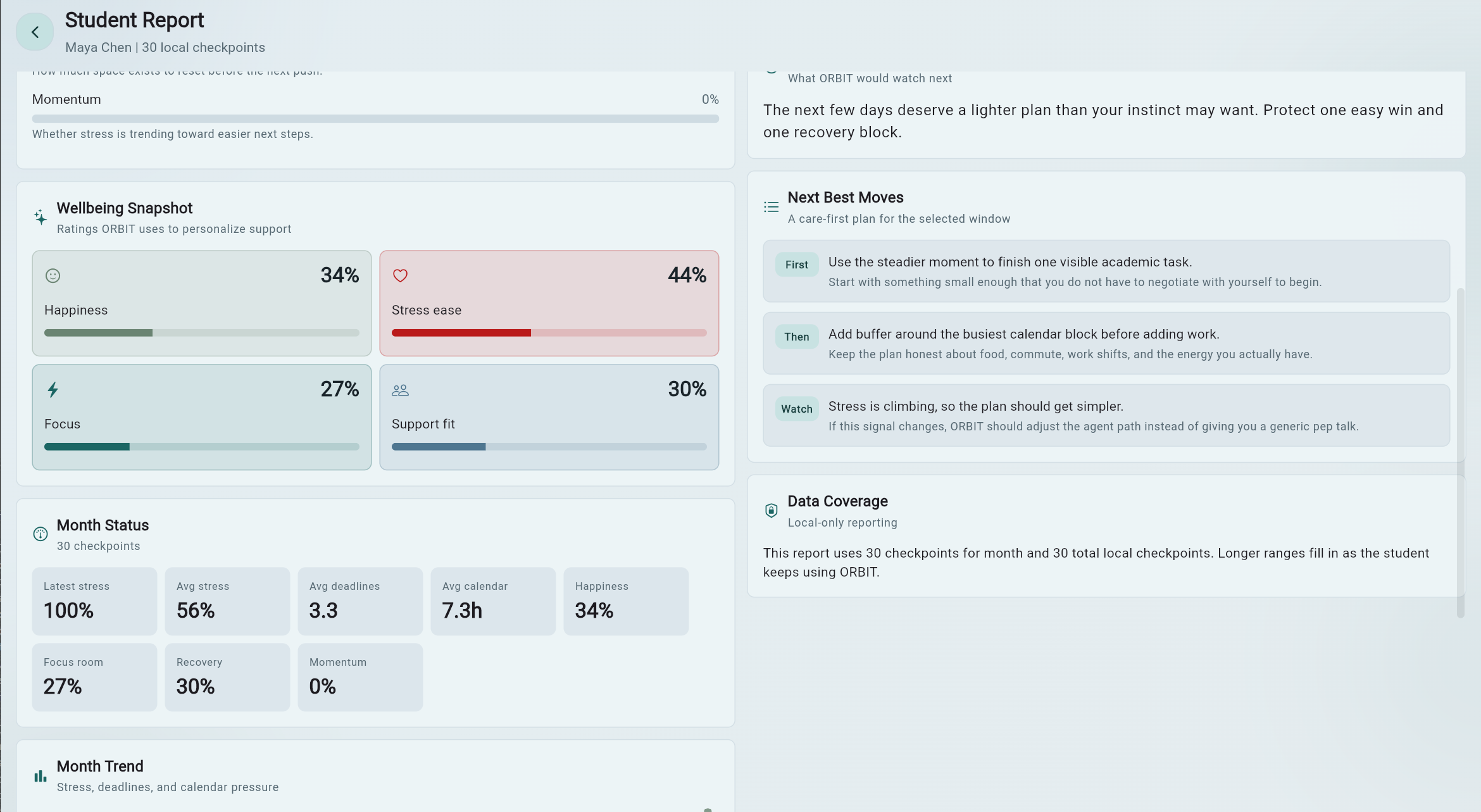
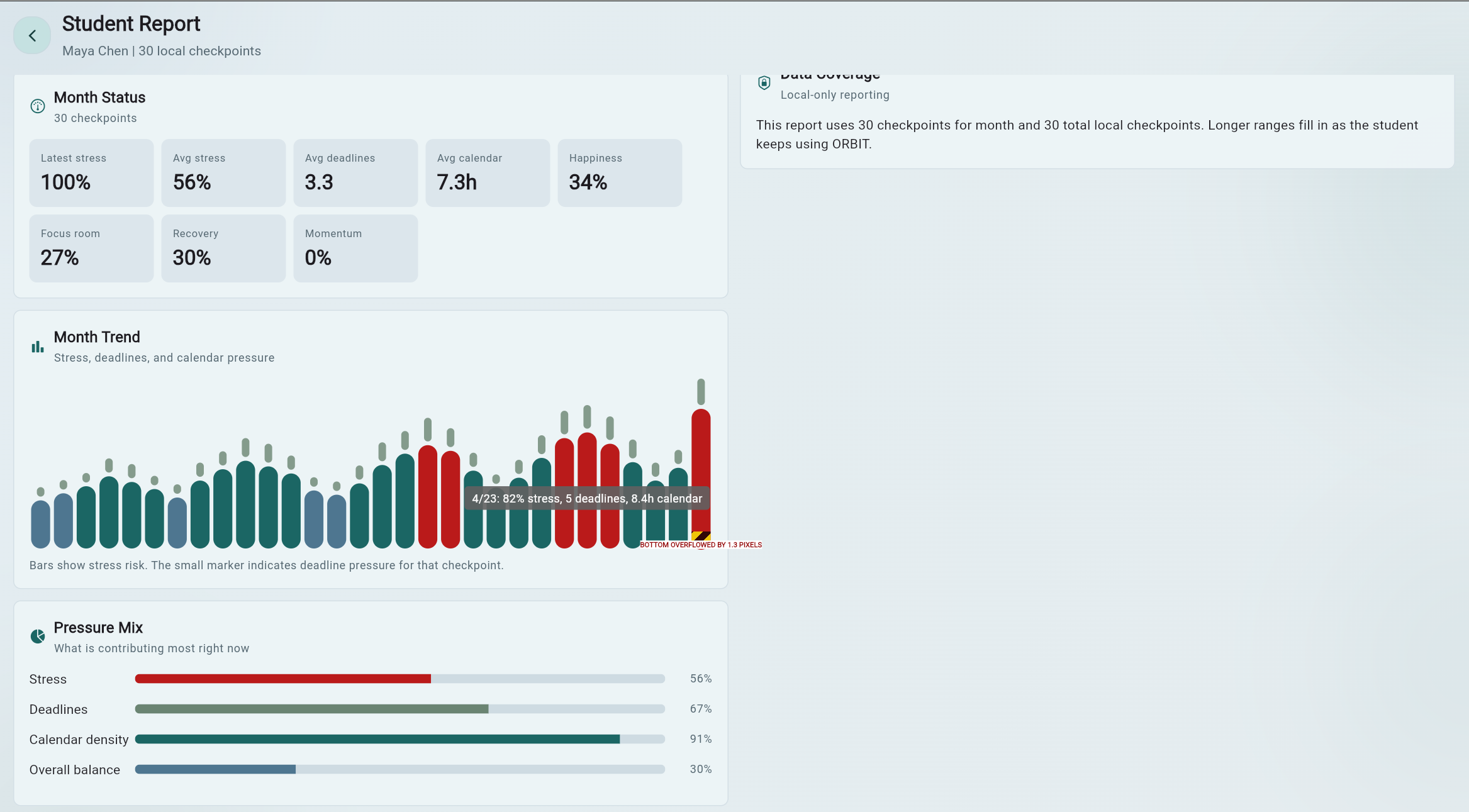
06 / Student Report

Analytics are translated into caring, actionable guidance.

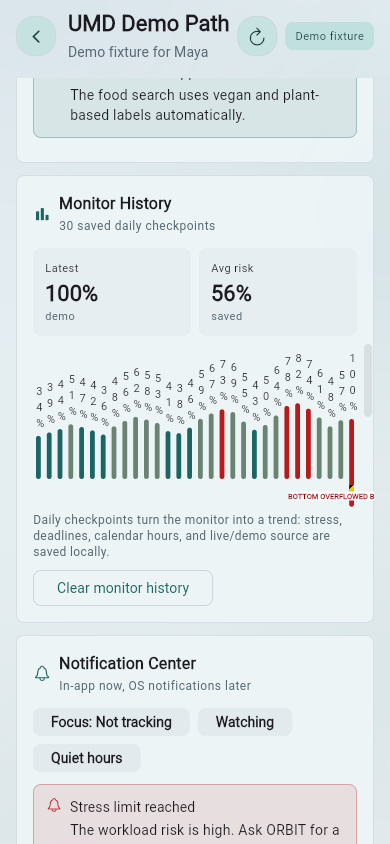
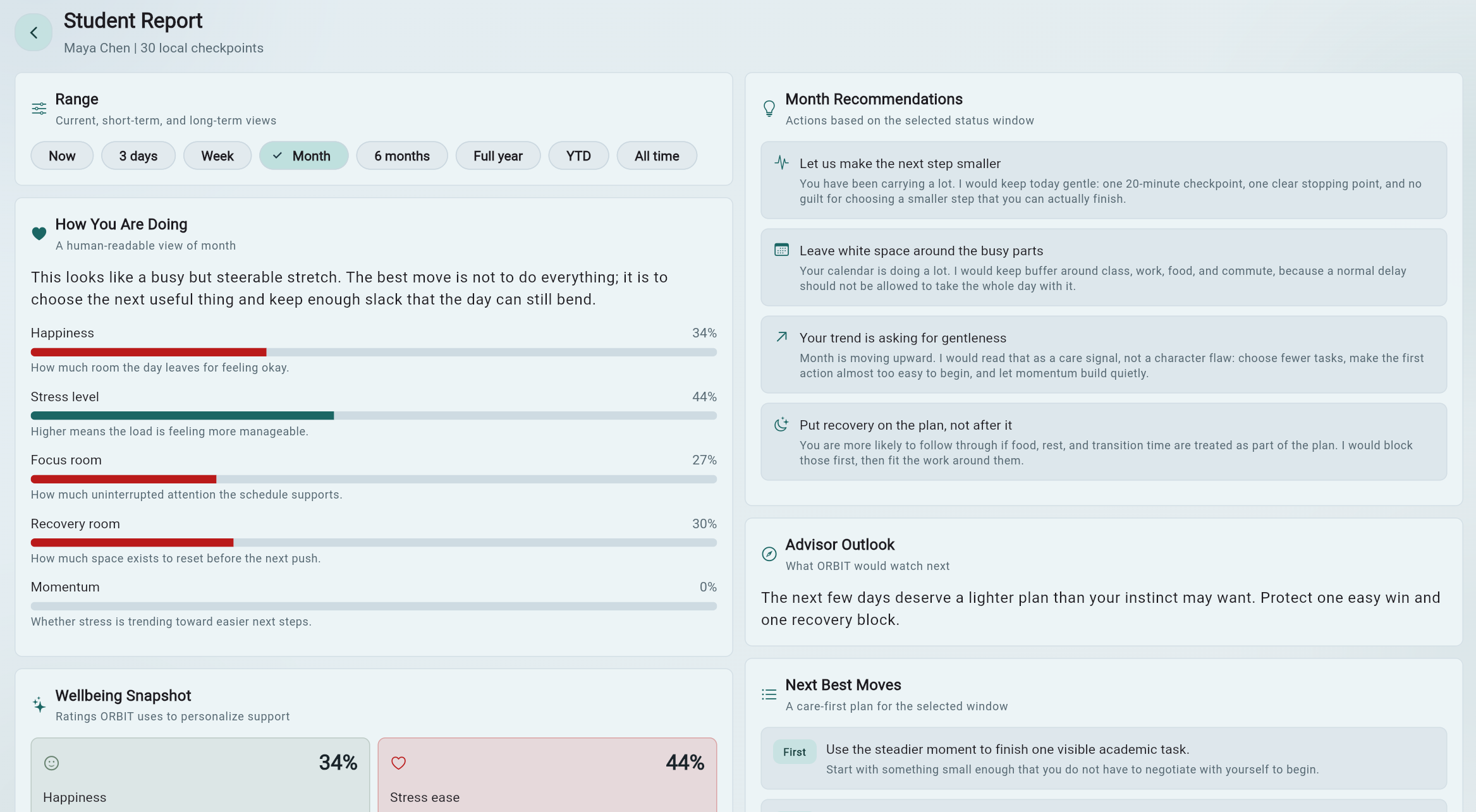
The report summarizes now, 3 days, week, month, 6 months, full year, year to date, and all-time windows. It includes happiness, stress ease, focus room, recovery room, momentum, support fit, deadline pressure, calendar density, advisor-style recommendations, next best moves, trend charts, and month-long checkpoint history.

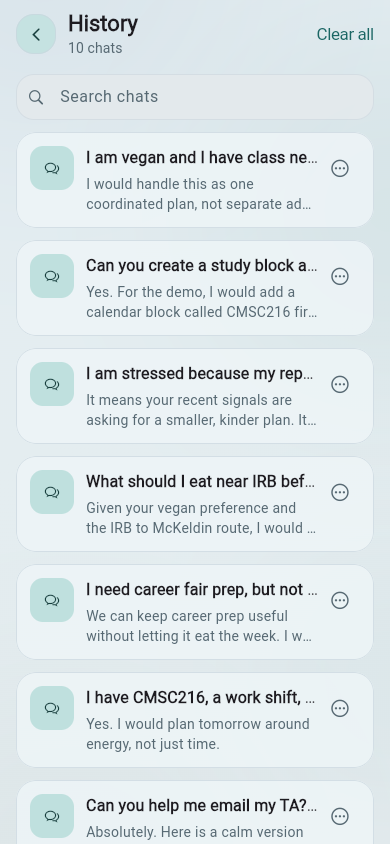
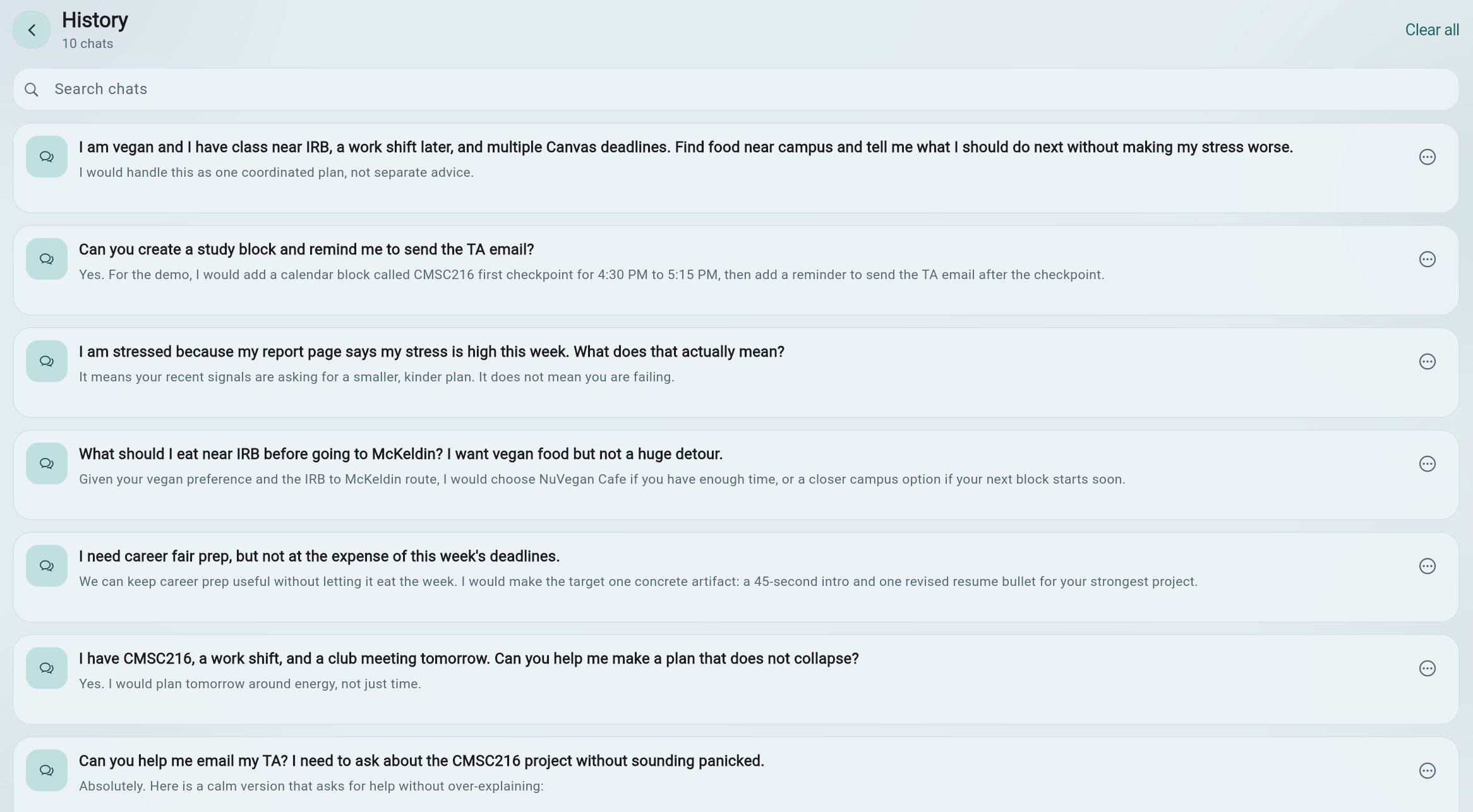
07 / Chat History

Continuity means the student does not have to re-explain everything.

Maya's seeded history includes vegan preferences near IRB and McKeldin, CMSC216 anxiety, first-step planning, work-shift constraints, TA email help, career fair prep, food routes, Google Maps actions, and calendar/email demos.

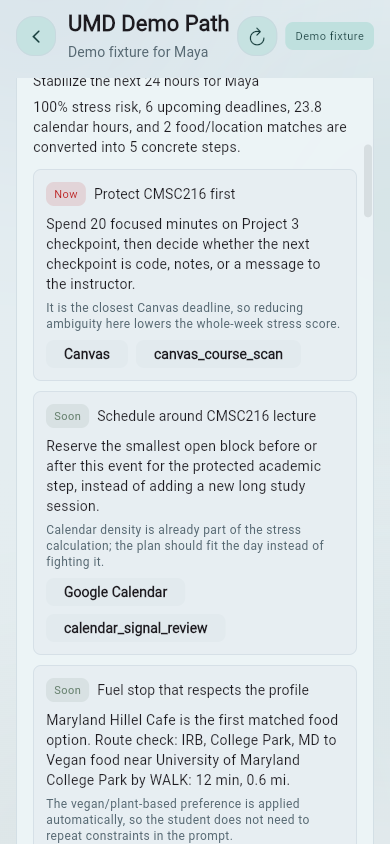
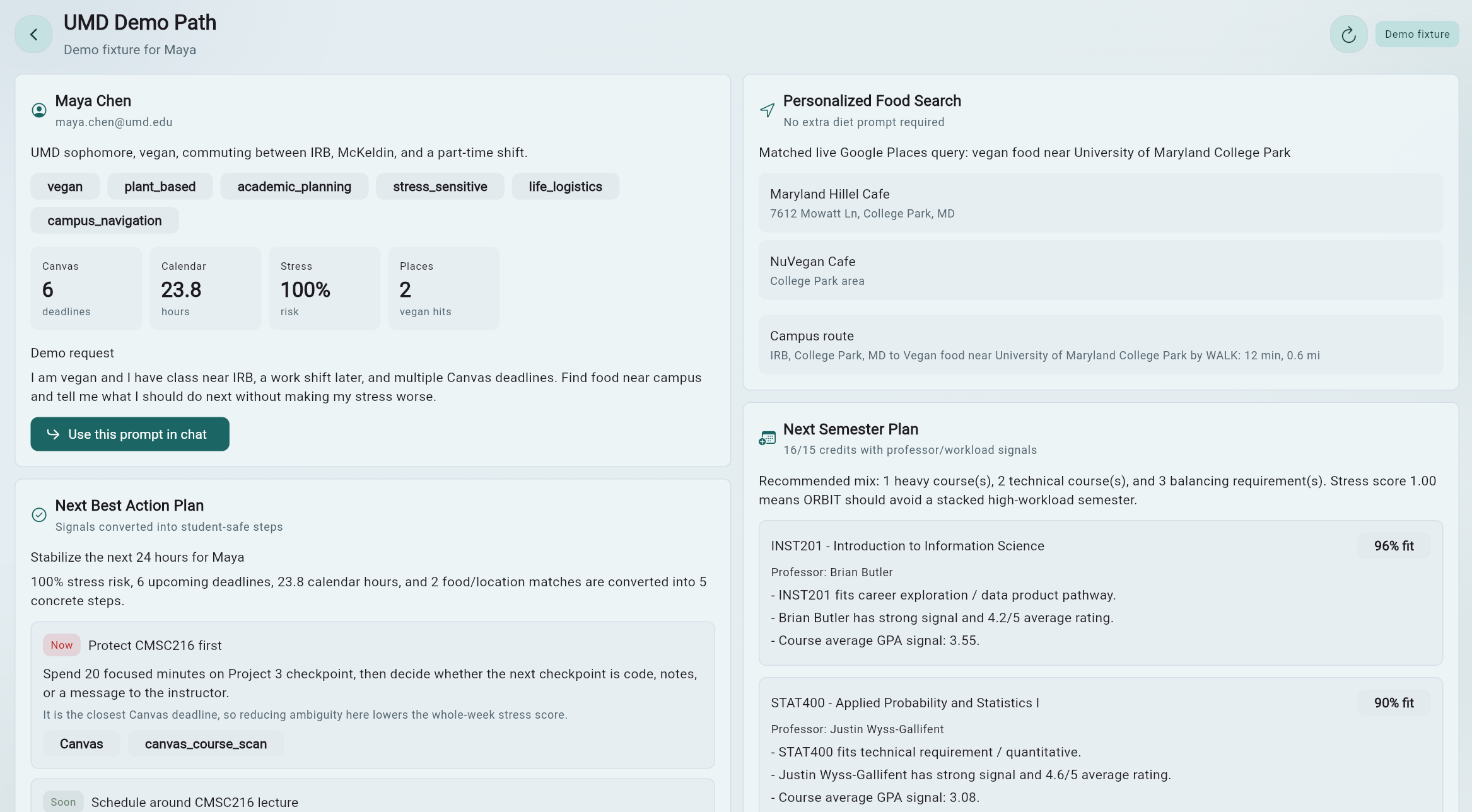
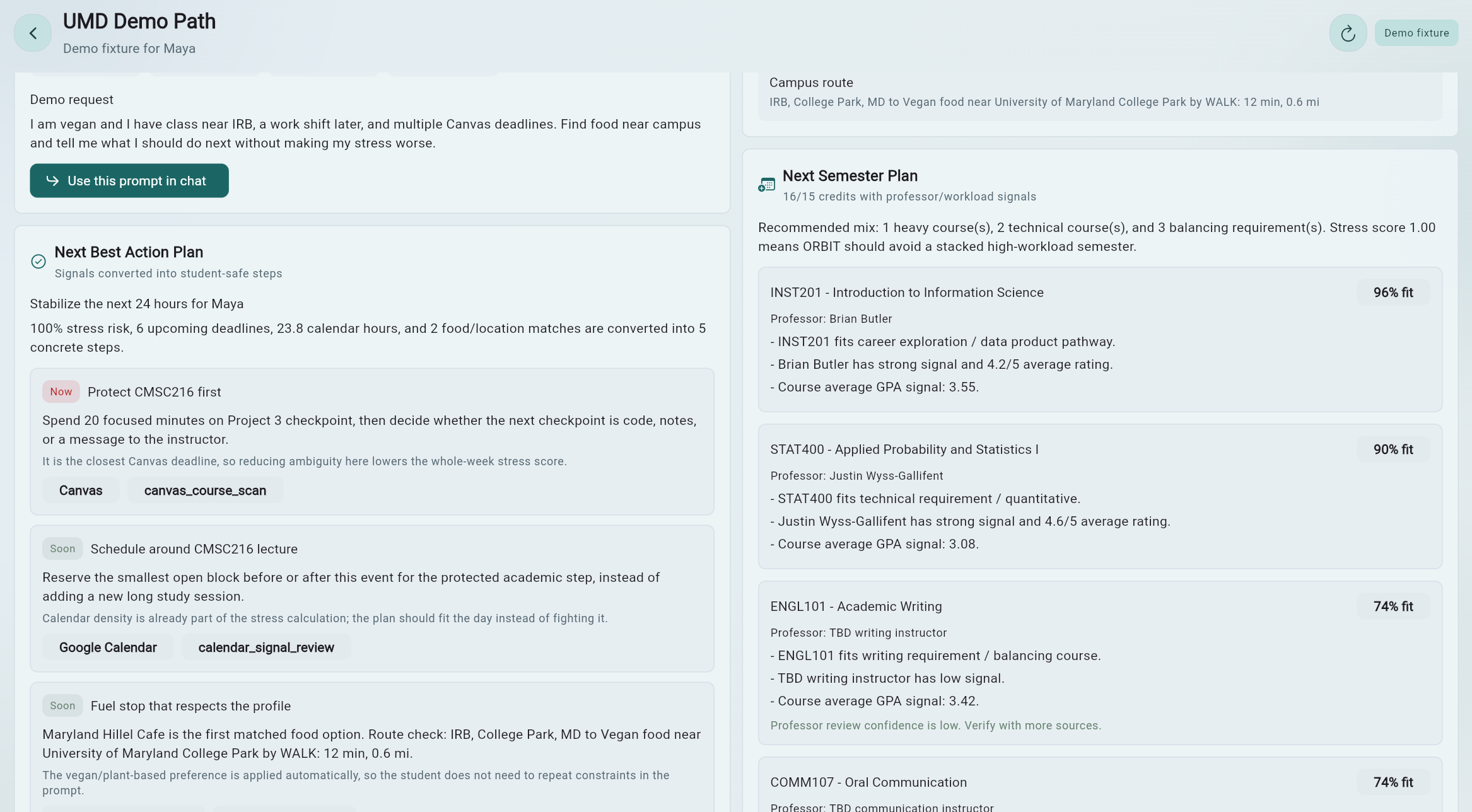
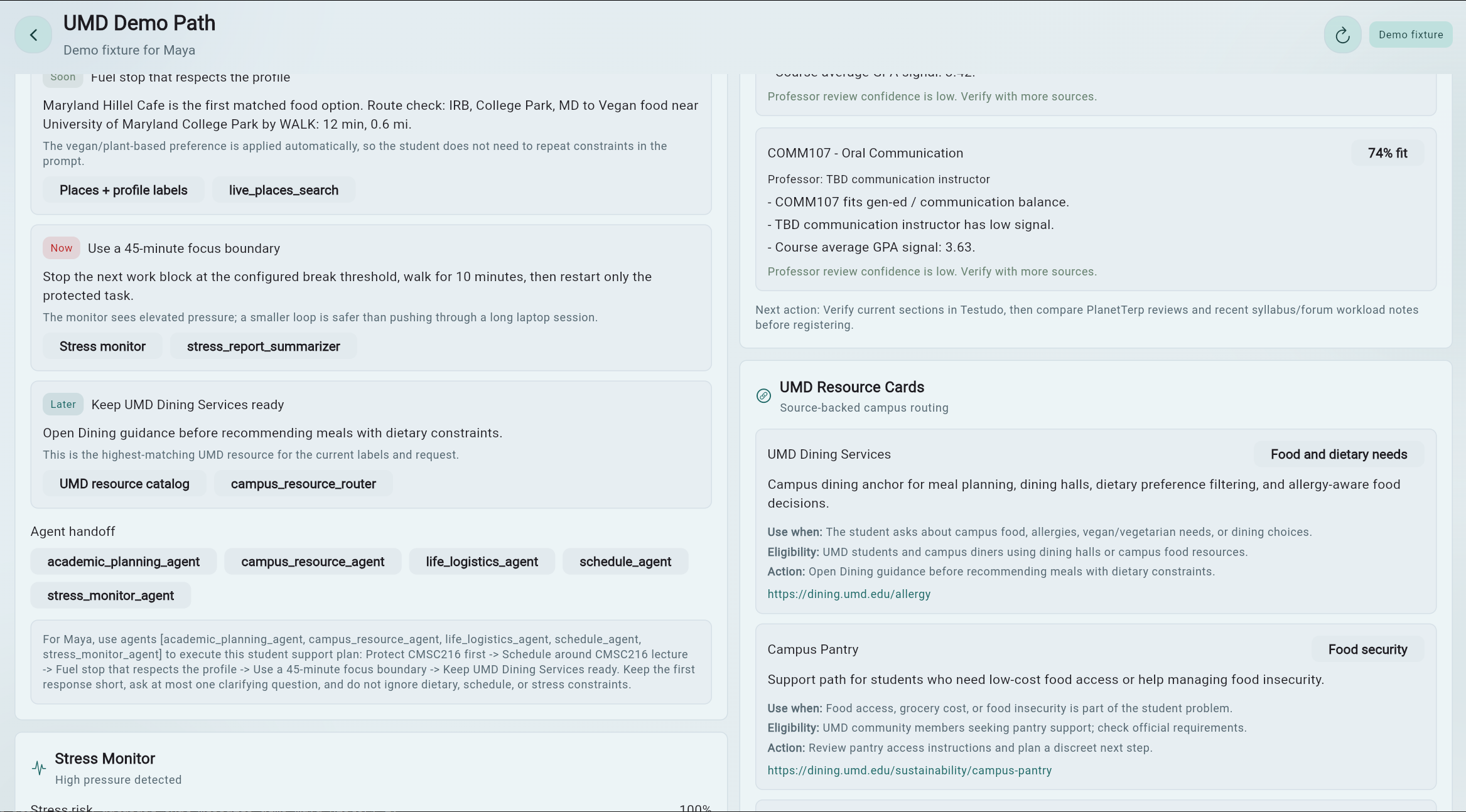
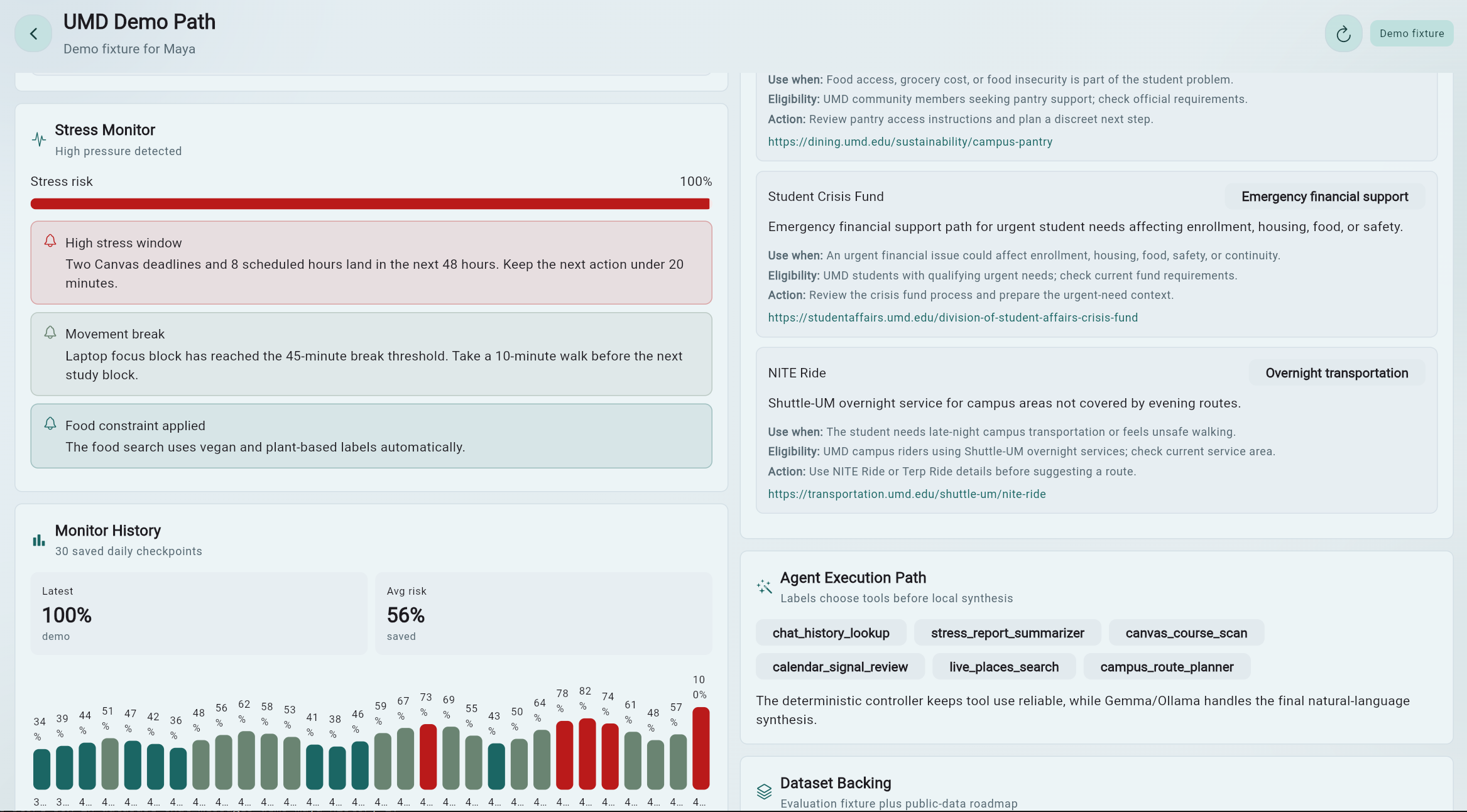
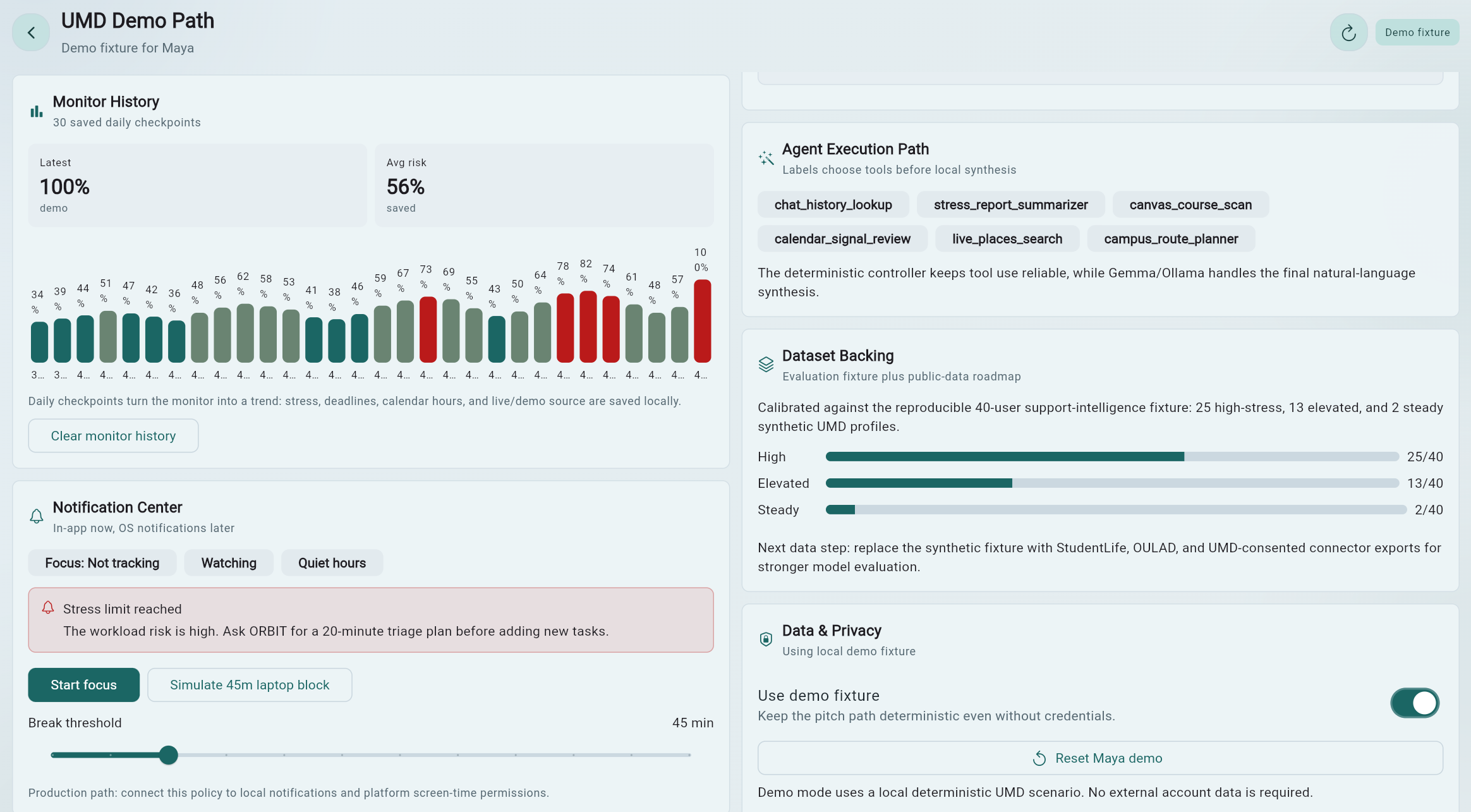
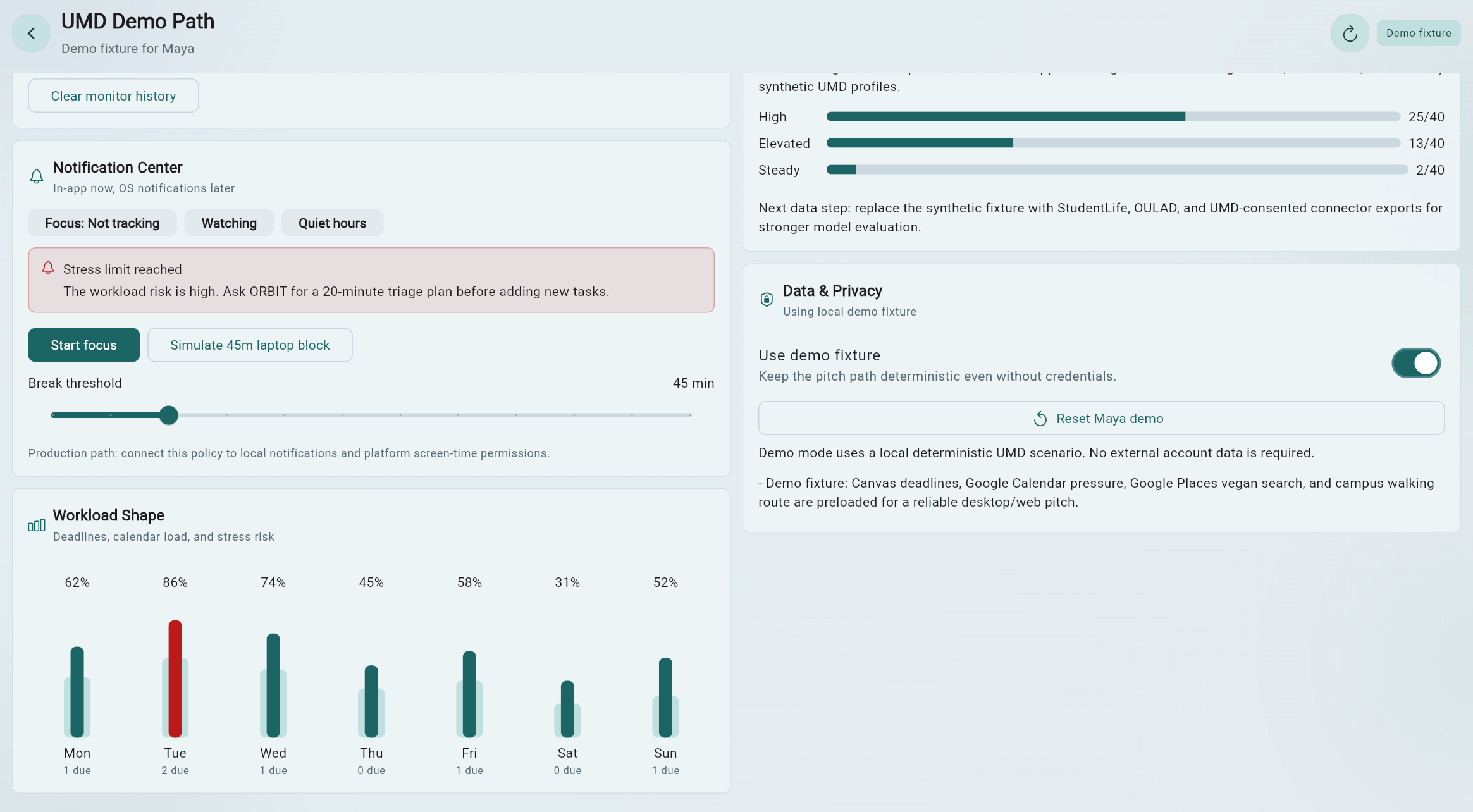
08 / UMD Demo Path

The strongest investor demo shows one concrete student scenario end to end.

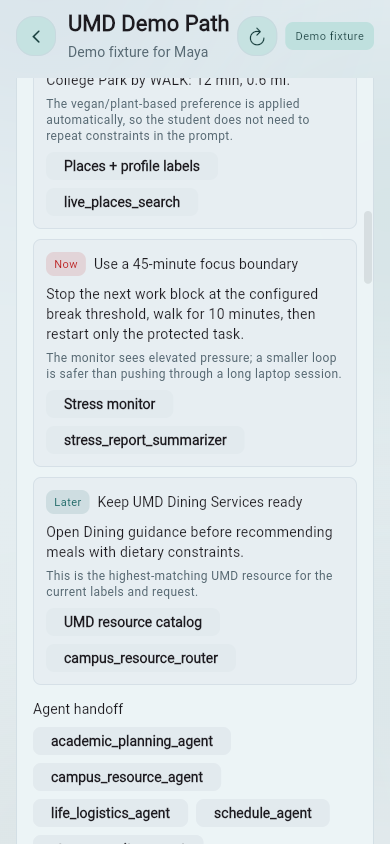
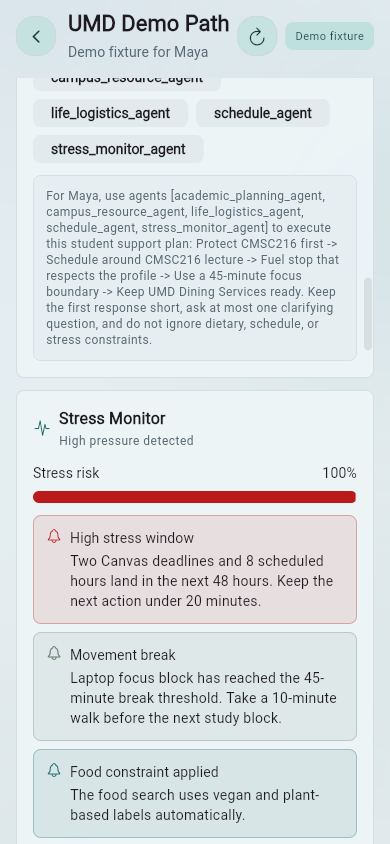
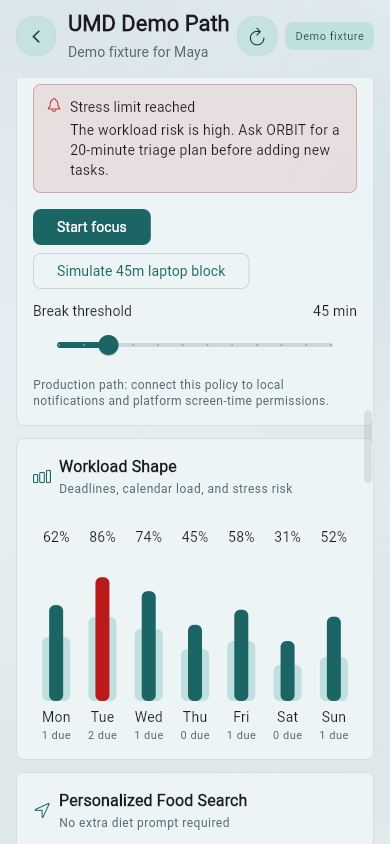
The UMD Demo Path combines Maya's profile labels, Canvas-style deadline pressure, Google Calendar-style schedule pressure, vegan and route constraints, stress alerts, next best actions, notification policy, UMD resource cards, agent execution path, and data/privacy controls.

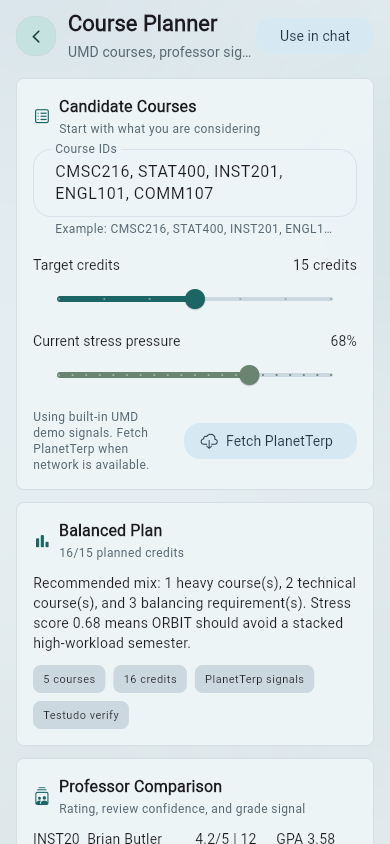
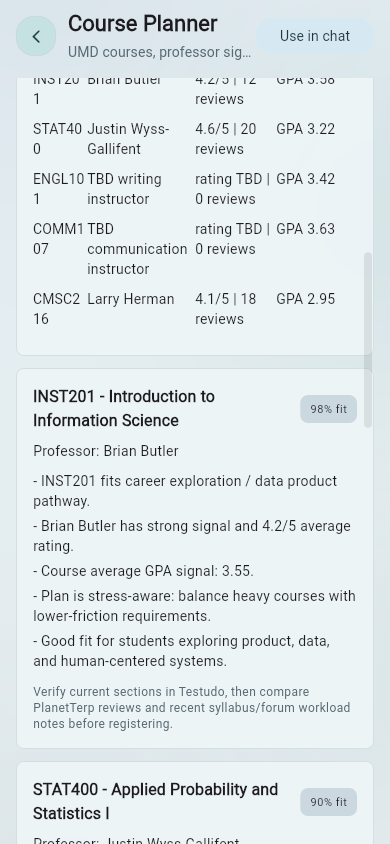
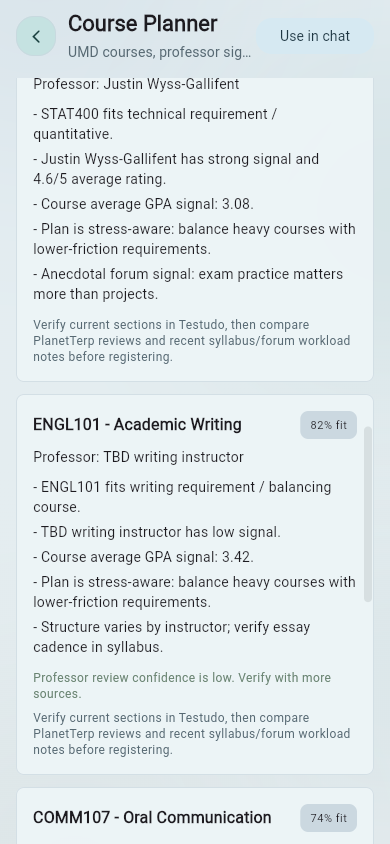
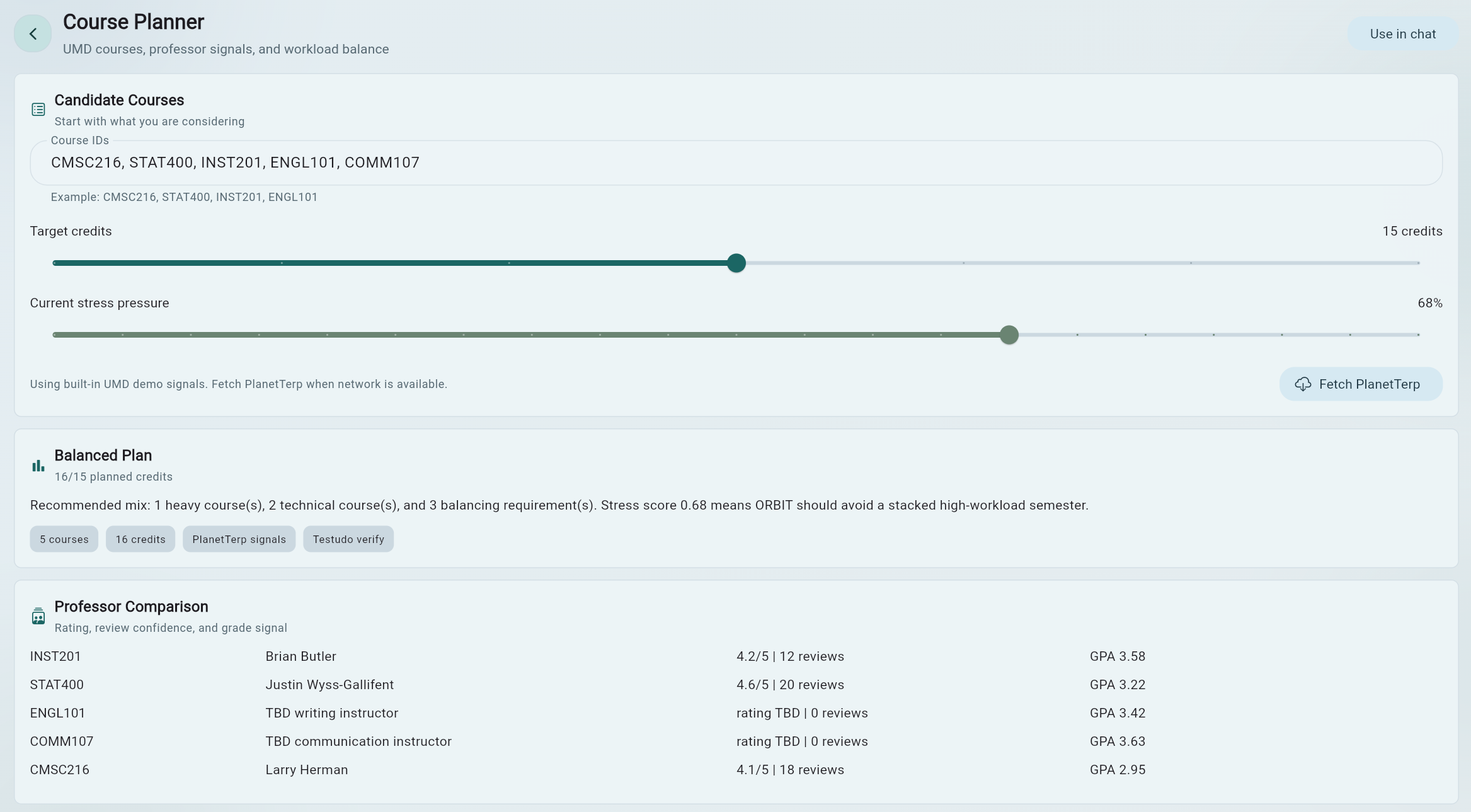
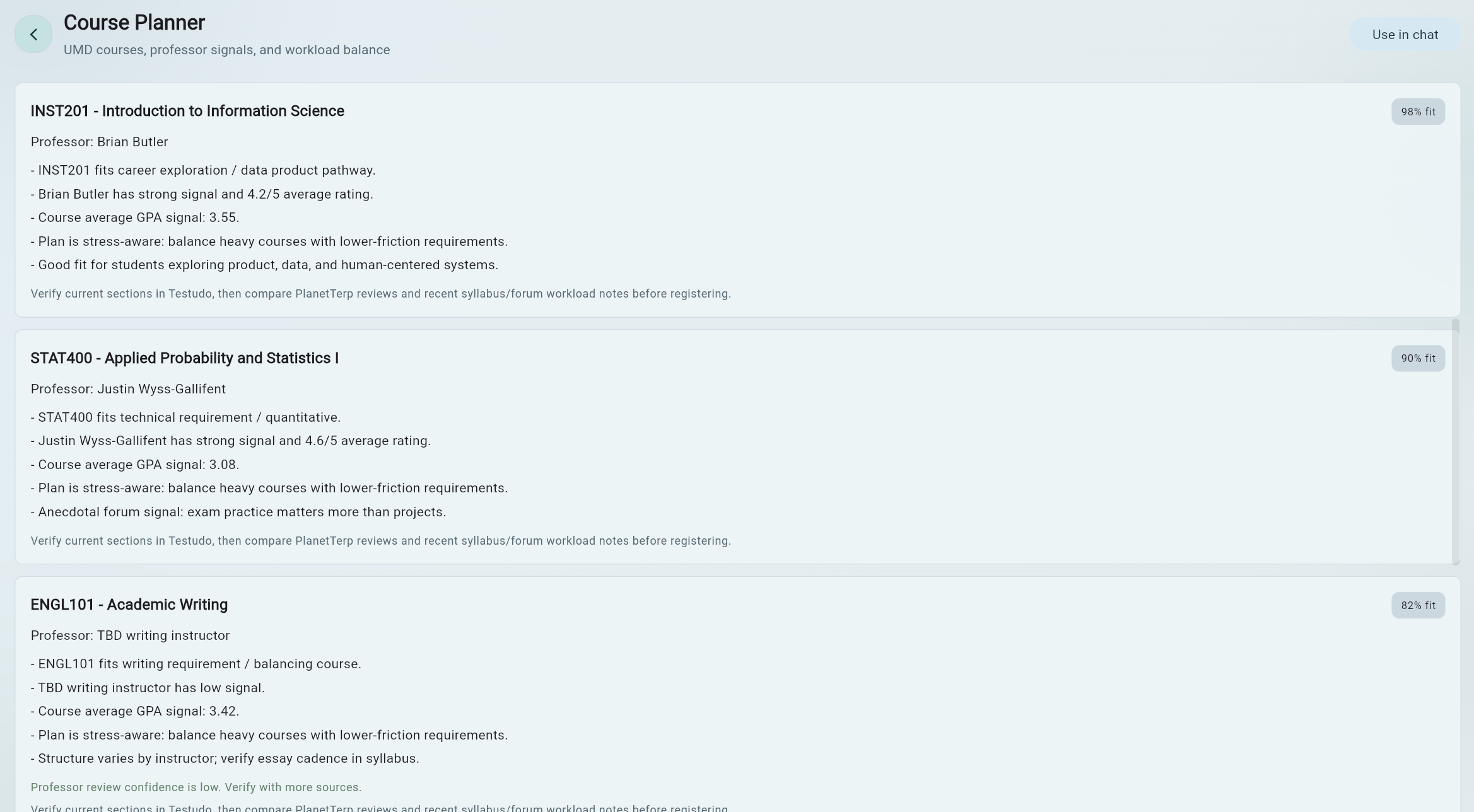
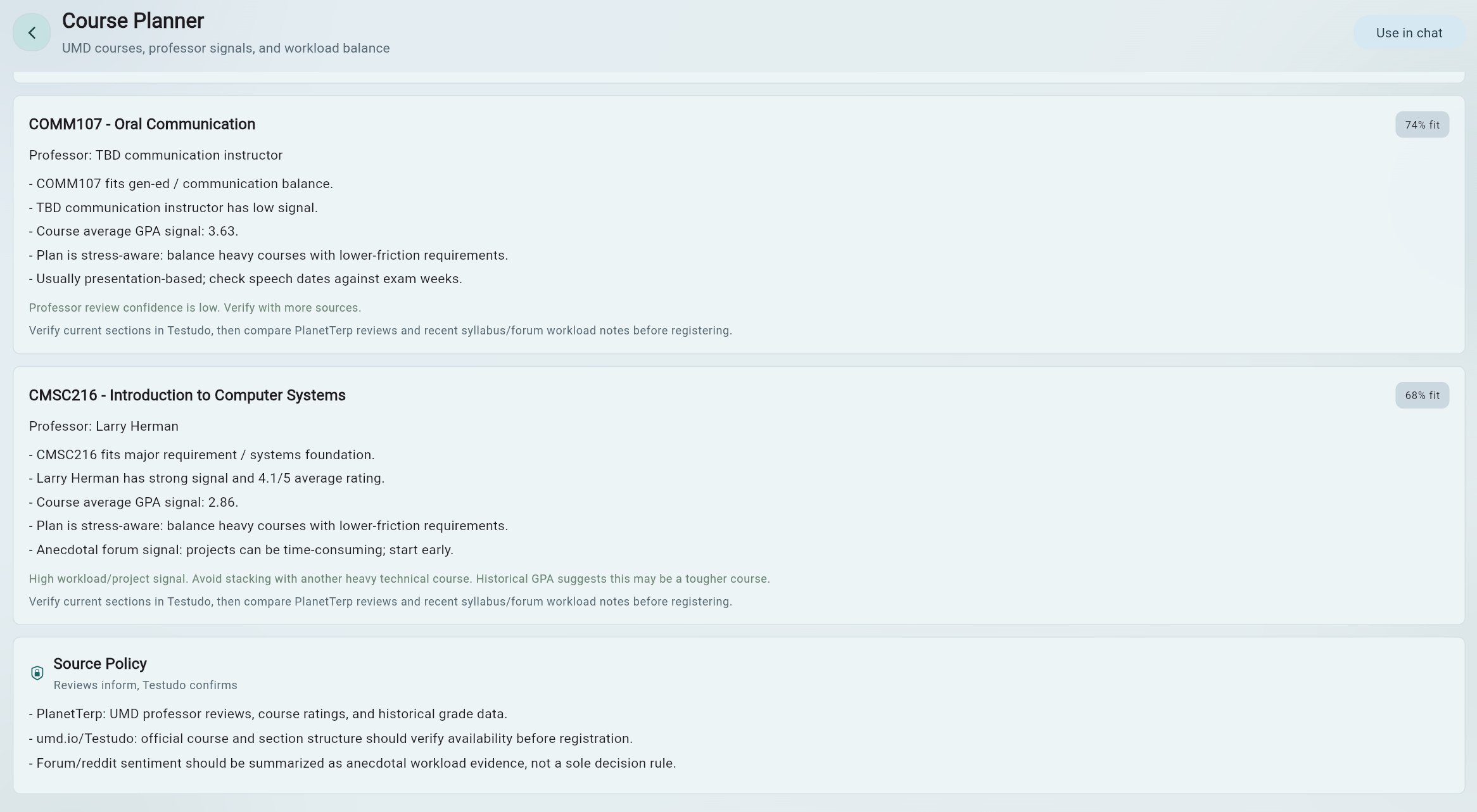
09 / Course Planner

UMD-specific course decisions become guided and realistic.

ORBIT can help students think about which classes fit their goals, whether the semester is too heavy, which courses are easy, moderate, or hard, which professors may fit better, and how stress, commuting, career goals, and workload should affect course choice.

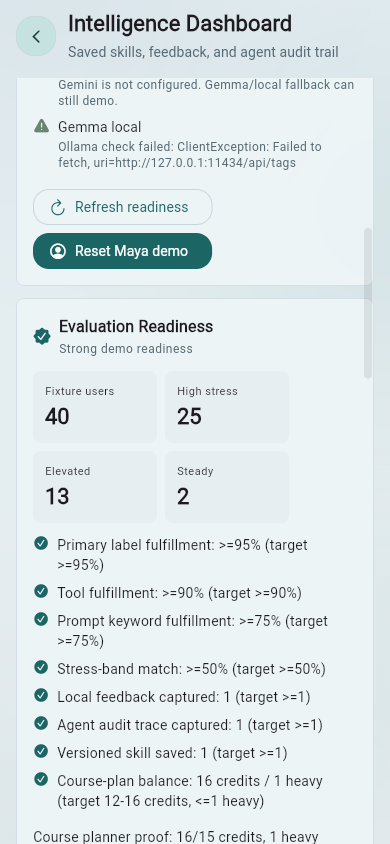
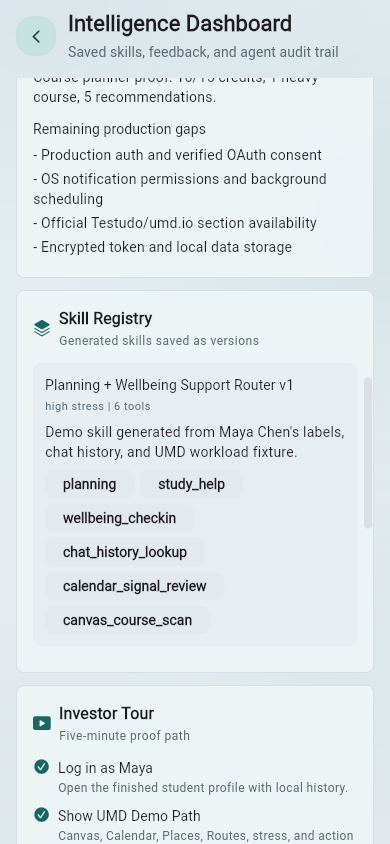
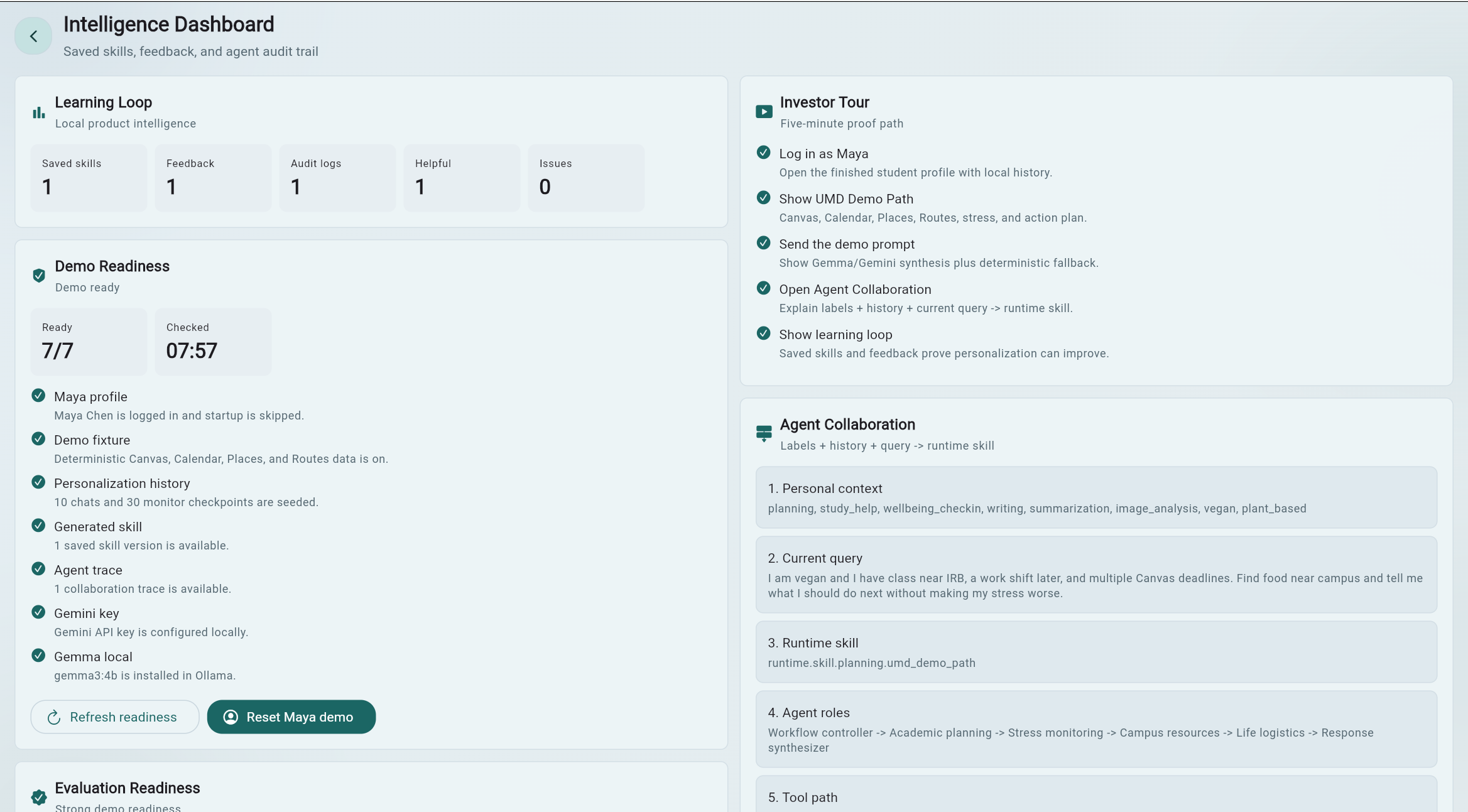
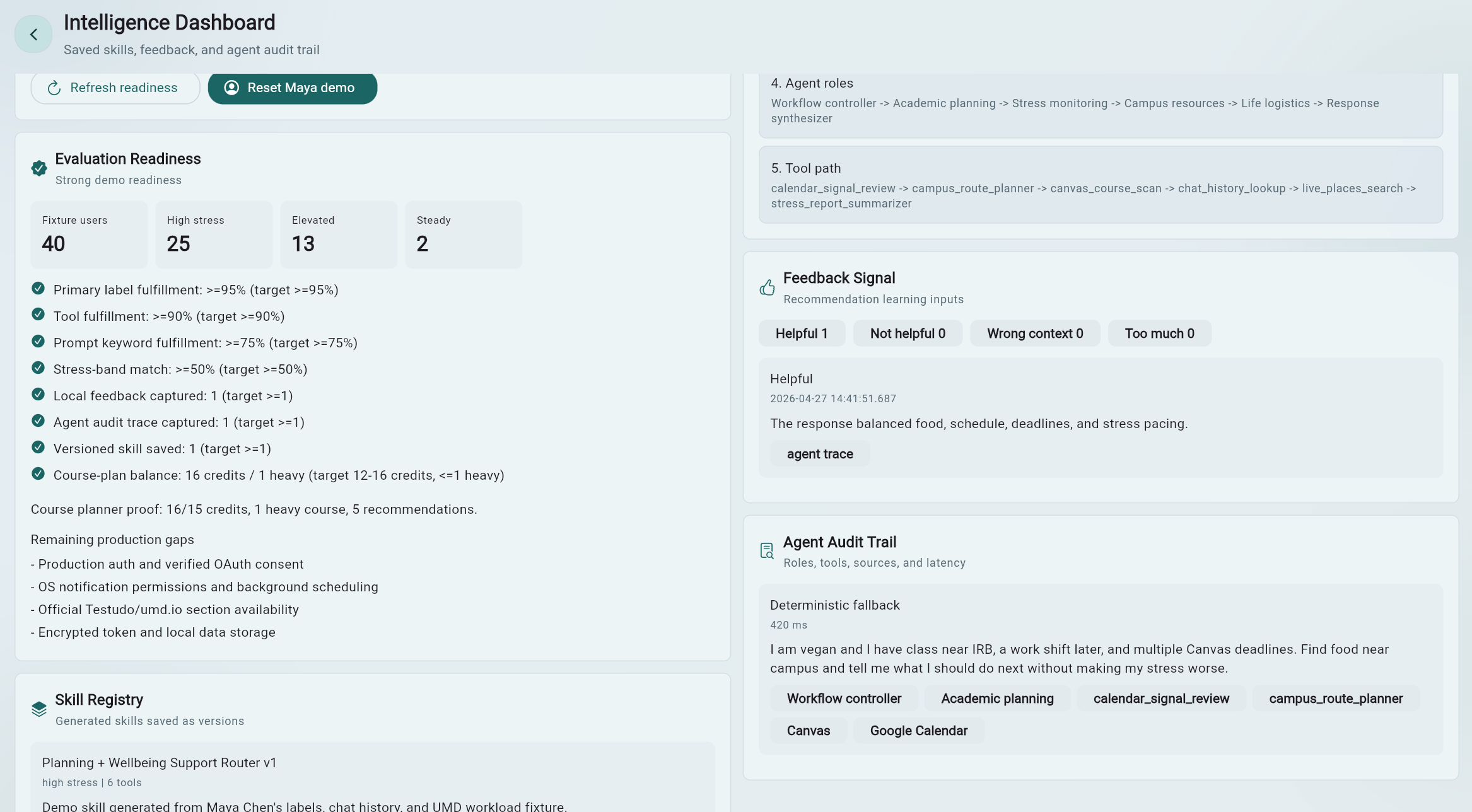
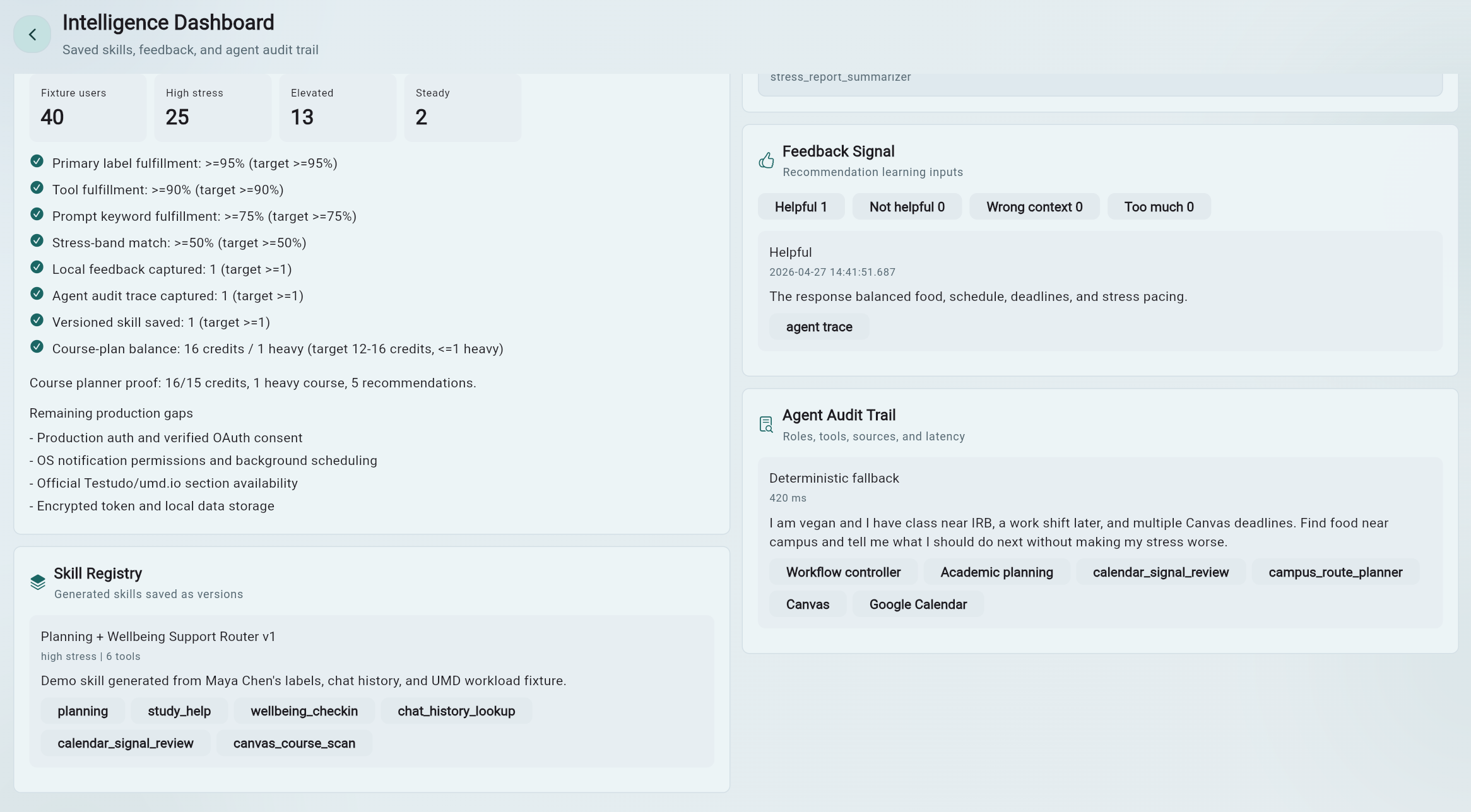
10 / Intelligence Dashboard

The agent system is inspectable instead of opaque.

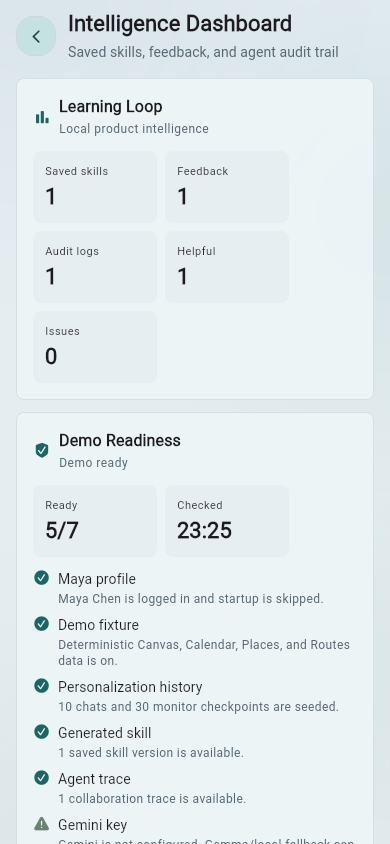
The dashboard shows demo readiness, investor tour checklist, label-driven collaboration, skill registry, saved runtime skills, feedback signal, agent audit trail, and evaluation readiness. This matters because student-support advice should be useful and auditable.

Architecture

Student context flows through labels, agents, skills, tools, model fallback, and action surfaces.

ORBIT's architecture is designed so each answer can expose agents, tools, model path, fallback reason, sources, latency, and feedback signals.

ORBIT system architecture diagram showing student context, labels, agents, tools, synthesis, and action surfaces
ORBIT system architecture diagram.

Onboarding label ranker

Creates initial support labels from adaptive setup answers.

Prompt router

Uses selected and inferred labels to recommend prompt chips and skills.

Support intelligence service

Builds stress reports, follow-up questions, suggestions, and skill blueprints.

ORBIT agent orchestrator

Activates role agents and coordinates final response synthesis.

Student context aggregator

Loads live or demo Canvas, Calendar, Places, Routes, and course data.

UMD resource catalog

Routes students to tutoring, accessibility, counseling, financial aid, housing, transport, safety, and more.

Course planning service

Combines workload, professor/course signals, stress level, and profile labels.

Agent audit log

Records roles, skills, tools, sources, model path, latency, and fallback reason.

Student report

Converts monitor history into student-facing charts, ratings, and recommendations.

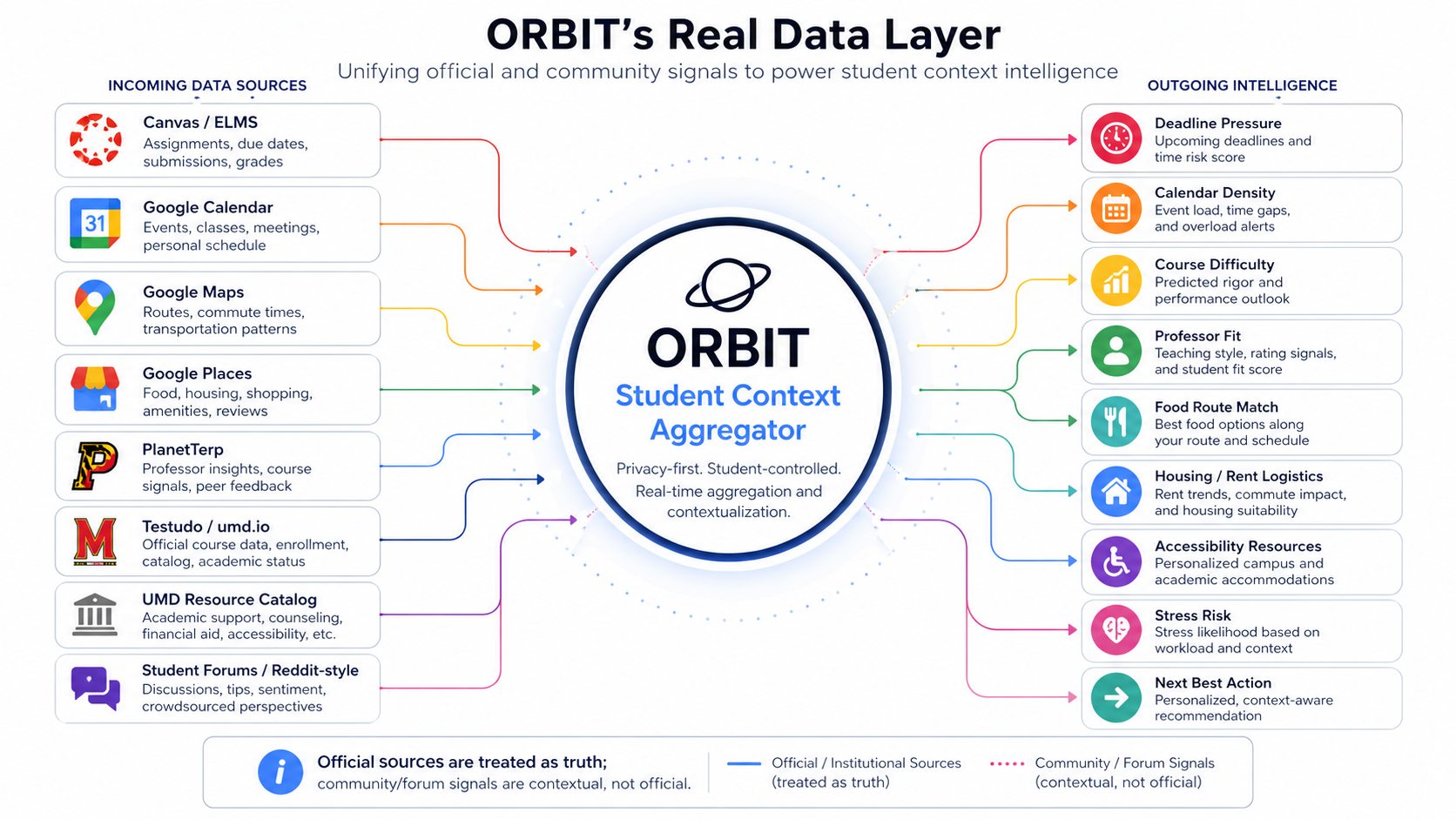
Data Integrations

Campus-aware support needs official sources, student tools, and clearly labeled optional context.

ORBIT separates local demo data from opt-in live integrations through the student data proxy. Official sources are treated as truth. Optional community/forum signals can add lived context but should remain contextual rather than official.

Real data integration pipeline diagram showing official sources, community context, proxy, labels, and ORBIT action surfaces
Real data integration pipeline.

Canvas / ELMS

Active courses, assignment names, due dates, and academic pressure.

Google Calendar

Upcoming events, schedule density, conflicts, work shifts, and planning blocks.

Google Maps / Routes

Walking routes, commute constraints, map launches, and realistic movement between places.

Google Places

Food, study spots, housing/rent, shopping, and campus life search.

PlanetTerp

Course metadata, professor reviews, and historical grade signals.

Testudo / umd.io

Official course, prerequisite, section, and registration structure.

UMD resource catalog

ADS, Counseling Center, TLTC, Career Center, Health Center, Dining, Campus Pantry, ResLife, DOTS, ISSS, Writing Center, tutoring, Guided Study Sessions, Math Success, Keystone, OMSE, Student Legal Aid, Crisis Fund, Financial Aid, Dean of Students, OCRSM, NITE Ride, Paratransit, Terp Ride, Guardian App, Help Center, and related support paths.

Optional community signals

Reddit-style or forum context can help with lived experience around courses, housing, commuting, food, and campus life when clearly distinguished from official truth.

Privacy and Safety

The demo is local-first, opt-in, and careful with sensitive student context.

Local-first demo

Profile labels are stored locally, and Maya's demo mode does not require real accounts or credentials.

Opt-in live data

Canvas, Google, Maps, and other live connectors are designed to be added through explicit configuration and the student data proxy.

.env safety

Real Gemini, Canvas, and Google keys stay in local `.env` and must not be committed.

Demo-mode actions

Calendar and email actions are mimicked in demo mode unless real OAuth and permission checks are added.

Approval for irreversible actions

Irreversible actions should be blocked or require explicit user approval before execution.

Non-diagnostic wellbeing support

Mental health content is support and resource routing, not diagnosis or therapy.

Technical Implementation

Flutter app, optional student-data-proxy, and practical model fallback.

The README describes ORBIT as a Flutter application with a backend student-data-proxy for optional live integrations. The app separates demo mode from live mode, tries Gemini when `API_KEY` is configured, can fall back to local Gemma/Ollama, and keeps deterministic agent logic available so the demo remains reliable.

Client

Flutter app for web, Android, and Windows desktop.

Backend

Optional `backend/student-data-proxy` Node service for live student data connectors.

Models

Gemini when configured, Gemma/Ollama fallback, then deterministic logic if needed.

Modes

Seeded demo mode for presentations and opt-in live mode for external data.

Run the Project

Developer setup, kept accurate and out of the way.

These commands come from the README. The showcase itself is static and can be opened directly from `showcase/index.html`; the commands below are for running the Flutter app and optional live data proxy.

Prerequisites

  • Flutter SDK 3.4.1 or later.
  • Dart, included with Flutter.
  • Node.js, only for the optional Student Data Proxy.
  • Ollama, optional for local Gemma synthesis.
  • Android Studio or a physical Android device for mobile testing.

Demo login

Email: maya.chen@umd.edu
Password: 12345

Or click:
Use Maya demo profile

Local environment

cd C:\Users\<your-username>\Documents\GitHub\orbit

& 'C:\Users\<your-username>\flutter\bin\flutter.bat' pub get

if (-not (Test-Path .env)) { Copy-Item .env.example .env }

Recommended `.env` template

API_KEY=
LOCAL_LLM_ENDPOINT=http://127.0.0.1:11434
LOCAL_LLM_MODEL=gemma3:4b
EXTERNAL_DATA_ENABLED=false
STUDENT_DATA_PROXY_URL=
STUDENT_DATA_PROXY_USER_ID=demo
EXTERNAL_DATA_CACHE_SECONDS=300
EXTERNAL_DATA_TIMEOUT_SECONDS=8
CANVAS_BASE_URL=https://umd.instructure.com
CANVAS_ACCESS_TOKEN=
GOOGLE_ACCESS_TOKEN=
GOOGLE_MAPS_API_KEY=
CAMPUS_ROUTE_ORIGIN=McKeldin Library, College Park, MD
CAMPUS_ROUTE_DESTINATION=University Health Center, College Park, MD

Keep real Gemini, Canvas, and Google keys only in local `.env`. Do not commit `.env`.

Web

& 'C:\Users\<your-username>\flutter\bin\flutter.bat' run -d chrome

& 'C:\Users\<your-username>\flutter\bin\flutter.bat' build web

Android

& 'C:\Users\<your-username>\flutter\bin\flutter.bat' devices
& 'C:\Users\<your-username>\flutter\bin\flutter.bat' run -d android

& 'C:\Users\<your-username>\flutter\bin\flutter.bat' build apk
build\app\outputs\flutter-apk\app-release.apk

Windows desktop

& 'C:\Users\<your-username>\flutter\bin\flutter.bat' config --enable-windows-desktop
& 'C:\Users\<your-username>\flutter\bin\flutter.bat' run -d windows

Optional local Gemma / Ollama

ollama pull gemma3:4b
ollama serve
LOCAL_LLM_ENDPOINT=http://127.0.0.1:11434
LOCAL_LLM_MODEL=gemma3:4b

Optional live data proxy

cd C:\Users\<your-username>\Documents\GitHub\orbit\backend\student-data-proxy
node server.mjs
EXTERNAL_DATA_ENABLED=true
STUDENT_DATA_PROXY_URL=http://127.0.0.1:8787
STUDENT_DATA_PROXY_USER_ID=demo

Useful proxy endpoints

GET  http://127.0.0.1:8787/health
GET  http://127.0.0.1:8787/auth/google/start?userId=demo
POST http://127.0.0.1:8787/connect/canvas
GET  http://127.0.0.1:8787/student/snapshot?userId=demo&taskText=food&preferenceTags=vegan
GET  http://127.0.0.1:8787/course-planning/umd?courses=CMSC216,STAT400&profileTags=stress_sensitive,commuter

Canvas connect example

Invoke-RestMethod `
  -Uri http://127.0.0.1:8787/connect/canvas `
  -Method Post `
  -ContentType 'application/json' `
  -Body '{"userId":"demo","baseUrl":"https://umd.instructure.com","accessToken":"YOUR_CANVAS_TOKEN"}'

Analyze and test

& 'C:\Users\<your-username>\flutter\bin\cache\dart-sdk\bin\dart.exe' analyze lib test

& 'C:\Users\<your-username>\flutter\bin\flutter.bat' test test\agents\orbit_agent_orchestrator_test.dart

& 'C:\Users\<your-username>\flutter\bin\flutter.bat' test

If `flutter test` hangs on this Windows machine, prefer `dart analyze lib test` for quick verification and run focused tests from a clean PowerShell session.

Project structure

orbit/
|-- android/
|-- assets/
|-- backend/
|   `-- student-data-proxy/
|-- docs/
|-- images/
|-- ios/
|-- lib/
|   |-- agents/
|   |-- apis/
|   |-- constants/
|   |-- data_sources/
|   |-- demo/
|   |-- hive/
|   |-- models/
|   |-- providers/
|   |-- screens/
|   |-- services/
|   |-- themes/
|   |-- utilities/
|   `-- widgets/
|-- test/
|-- web/
|-- .env.example
|-- pubspec.yaml
`-- README.md

Final Takeaway

ORBIT proves that student AI can be personal, campus-aware, explainable, and immediately actionable.

The product brings together personalized memory, multi-agent reasoning, UMD-specific data readiness, student-facing empathy, connected actions, explainability, demo reliability, and a production path for opt-in connectors.

Personalization depth

Durable labels, chat history, report state, and imported context make ORBIT remember what matters.

Agentic architecture

Multi-role collaboration lets one question be evaluated across academic, wellbeing, campus, career, and life domains.

Real data readiness

The structure supports Canvas/ELMS, Calendar, Maps/Places, PlanetTerp, Testudo/umd.io, UMD resources, and optional community retrieval.

Actionability

Answers can become routes, calendar blocks, email drafts, course plans, reports, and resource recommendations.

Explainability

Agent traces, audit logs, feedback signals, and model fallback reasons make the path inspectable.

Demo reliability

The Maya Chen fixture gives a repeatable walkthrough when OAuth, network APIs, or live credentials are unavailable.